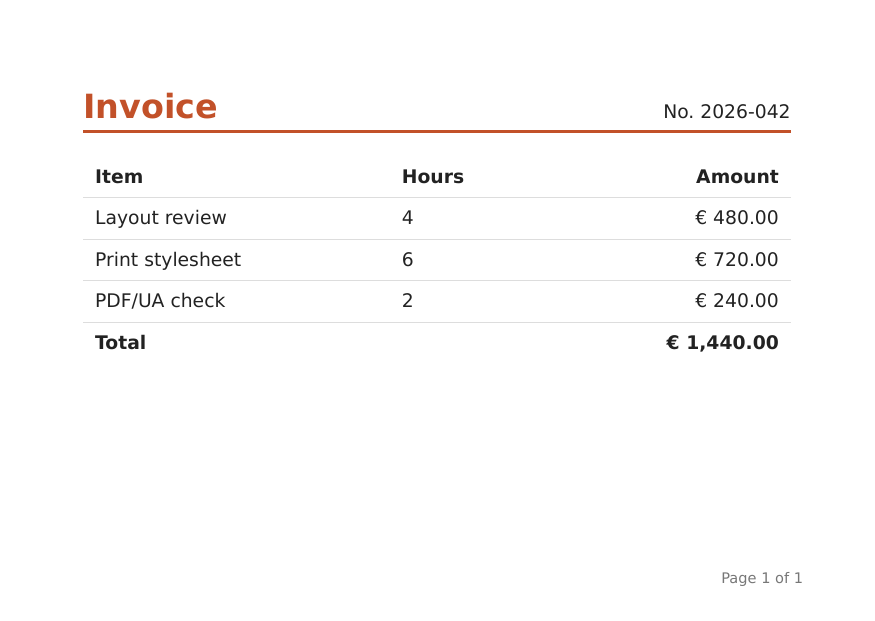
# kolinsky > kolinsky renders HTML and CSS to PDF. It is written in Rust and ships as a Rust crate (`kolinsky`), a command line (`kolinsky render in.html -o out.pdf`) and a Python package (`kolinsky`), with no system dependencies on Linux, macOS and Windows. It supports paged media with margin boxes, flexbox, grid, multi-column, floats, tables, web fonts and complex scripts, SVG and images, links and bookmarks, PDF/A, PDF/UA and tagged PDF. Network access is off by default. - Install: `cargo add kolinsky`, `pip install kolinsky`, or the prebuilt command line from the installation page. - `kolinsky COMMAND --help` is authoritative for the command line; the option names are the same in Rust and Python. - Check a layout without writing a PDF: `kolinsky inspect in.html --json --select CSS`. --- Source: https://kolinsky.spenhouet.com/ # kolinsky ![kolinsky logo](assets/logo.svg) # kolinsky [Get started](getting-started/index.md) [crates.io](https://crates.io/crates/kolinsky) [PyPI](https://pypi.org/project/kolinsky/) [docs.rs](https://docs.rs/kolinsky) ## Install === "Rust" ```sh cargo add kolinsky ``` === "Python" ```sh pip install kolinsky ``` === "CLI: Linux x86_64" ```sh v=$(curl -fsSL https://kolinsky.spenhouet.com/releases/latest.json | sed -n 's/.*"version": "\([^"]*\)".*/\1/p') && curl -fsSL "https://kolinsky.spenhouet.com/releases/v$v/kolinsky-$v-x86_64-unknown-linux-gnu.tar.gz" | tar xz && sudo mv "kolinsky-$v-x86_64-unknown-linux-gnu/kolinsky" /usr/local/bin/ ``` === "CLI: Linux arm64" ```sh v=$(curl -fsSL https://kolinsky.spenhouet.com/releases/latest.json | sed -n 's/.*"version": "\([^"]*\)".*/\1/p') && curl -fsSL "https://kolinsky.spenhouet.com/releases/v$v/kolinsky-$v-aarch64-unknown-linux-gnu.tar.gz" | tar xz && sudo mv "kolinsky-$v-aarch64-unknown-linux-gnu/kolinsky" /usr/local/bin/ ``` === "CLI: macOS arm64" ```sh v=$(curl -fsSL https://kolinsky.spenhouet.com/releases/latest.json | sed -n 's/.*"version": "\([^"]*\)".*/\1/p') && curl -fsSL "https://kolinsky.spenhouet.com/releases/v$v/kolinsky-$v-aarch64-apple-darwin.tar.gz" | tar xz && sudo mv "kolinsky-$v-aarch64-apple-darwin/kolinsky" /usr/local/bin/ ``` === "CLI: macOS x86_64" ```sh v=$(curl -fsSL https://kolinsky.spenhouet.com/releases/latest.json | sed -n 's/.*"version": "\([^"]*\)".*/\1/p') && curl -fsSL "https://kolinsky.spenhouet.com/releases/v$v/kolinsky-$v-x86_64-apple-darwin.tar.gz" | tar xz && sudo mv "kolinsky-$v-x86_64-apple-darwin/kolinsky" /usr/local/bin/ ``` === "CLI: Windows x86_64" ```powershell $v = (irm https://kolinsky.spenhouet.com/releases/latest.json).version; irm "https://kolinsky.spenhouet.com/releases/v$v/kolinsky-$v-x86_64-pc-windows-msvc.zip" -OutFile kolinsky.zip; Expand-Archive kolinsky.zip -DestinationPath . ``` ## From HTML to PDF === "Rust" ```rust use kolinsky::{Engine, Input, PdfOptions, RenderOptions}; fn main() -> Result<(), Box> { let engine = Engine::new(); let input = Input::Path("hello.html".into()); let rendered = engine.render(input, &RenderOptions::default(), &PdfOptions::default())?; for d in &rendered.diagnostics { eprintln!("{}: {}", d.code, d.message); } std::fs::write("hello.pdf", rendered.output)?; Ok(()) } ``` === "CLI" ```sh kolinsky render hello.html -o hello.pdf ``` === "Python" ```python from pathlib import Path import kolinsky result = kolinsky.render(Path("hello.html")) for d in result.diagnostics: print(f"{d.code}: {d.message}") Path("hello.pdf").write_bytes(result.pdf) ``` ??? example "hello.html" ```html Invoice 2026-042

Invoice

No. 2026-042
ItemHoursAmount
Layout review4€ 480.00
Print stylesheet6€ 720.00
PDF/UA check2€ 240.00
Total€ 1,440.00
``` ![The first page of hello.pdf, rendered by kolinsky](assets/example.png) The image is the PDF that these lines write, rasterized; the docs build renders it with kolinsky every time. ## Speed Wall time per document, from process start to the PDF written, on a log scale. Shorter is faster. Measured on 2026-11-12 on one machine (x86_64 12 CPUs), all engines with the same fonts. [Method and all numbers](benchmarks.md) ## Conformance The share of tests passed: overall, in the web area (CSS and SVG reftests of the web-platform-tests) and in the PDF area (PDF feature and paged-media checks). Results of 2026-11-14, web-platform-tests commit `4c84956f8341`. [Every engine, method and the scores per group](conformance.md) ## Features - **Paged media**: `@page` sizes and margins, the 16 margin boxes, page counters, named pages, running headers - **Flexbox and grid**: flex containers and CSS grid, also split across pages - **Multi-column**: columns with balancing, spanners and column rules - **Floats and positioning**: floats, absolute, fixed and relative positioning - **Tables**: fixed and automatic layout, collapsed borders, headers and footers repeated on every page - **Fonts and complex scripts**: `@font-face` with WOFF, OpenType features, Arabic, Indic, Thai and CJK shaping, bidirectional text, hyphenation - **SVG and images**: inline and external SVG, PNG, JPEG, GIF and WebP - **Links and outline**: internal and external links, PDF bookmarks from headings - **PDF/A, PDF/UA and tagged PDF**: PDF/A-2b, A-3u and A-4, PDF/UA-1 and UA-2, structure tags - **Forms and attachments**: HTML form controls drawn on the page, files embedded with `--attach` or by the document - **Network off by default**: documents load only local files unless you allow URLs - **No system dependencies**: one binary or wheel on Linux, macOS and Windows; fonts come from the system or your own folders --- Source: https://kolinsky.spenhouet.com/introduction/ # Introduction kolinsky lays out HTML and CSS on pages and writes a PDF. It is written in Rust and comes in three forms that share one engine and one set of options: - a Rust crate, [`kolinsky`](https://crates.io/crates/kolinsky); - a command-line program, `kolinsky`; - a Python package, [`kolinsky`](https://pypi.org/project/kolinsky/). It is made for documents that are generated: invoices, reports, letters, tickets, books and manuals. You write the document in HTML, style it with CSS, including the CSS made for print (`@page`, margin boxes, page counters, named pages, footnotes, running headers), and get a PDF. ## How it works A run has two steps: 1. **Layout** reads the HTML, loads the stylesheets, images and fonts it references, applies the cascade and lays out the boxes on pages. The result is a document that you can inspect before anything is written: the number of pages, their sizes and names, and the position of every box. 2. **Writing** turns the laid-out document into PDF bytes, with the metadata, standards (PDF/A, PDF/UA), tags, outline, page selection and attachments you ask for. A document can be written several times with different options. `render` does both steps in one call. Every step returns diagnostics with its result: a missing image, an unknown CSS property or a character no font can show is reported, not hidden, and [strict mode](guides/diagnostics.md) turns chosen kinds of problems into errors. ## What it reads - HTML, parsed as a browser parses it: any input gives a document. Scripts are not run. - CSS: selectors level 4, cascade layers, custom properties, `calc()`; block, inline, float, positioned, table, flex, grid and multi-column layout; fragmentation across pages and columns; the paged-media and generated-content features of print CSS. The [CSS support](reference/css.md) page lists the properties. - Fonts: TrueType, OpenType and WOFF/WOFF2, from the system, from folders you add and from `@font-face`, with shaping of complex scripts and bidirectional text. - Images: raster images and SVG, inline or referenced. ## Safe by default A document can only reach what you allow. Network access is off unless you turn it on, for all URLs or for a list of URL patterns; local files can be limited to one directory; every resource has a time and size limit; and a custom fetcher can serve resources from memory or a database. See [resource loading and security](guides/resources.md). ## Next steps - [Install](getting-started/installation.md) the crate, the command line or the Python package. - Render a first document from [Rust](getting-started/rust.md), the [command line](getting-started/cli.md) or [Python](getting-started/python.md). - Read the [guides](guides/index.md) for page setup, fonts, images, links, footnotes and PDF output. - Look up an option in the [reference](reference/index.md). --- Source: https://kolinsky.spenhouet.com/benchmarks/ # Benchmarks Wall time and peak memory of kolinsky and other engines on the same documents, one fresh process per document. Measured on 2026-11-12 on one machine (x86_64 12 CPUs), all engines with the same fonts. ## Method - Every engine renders every document in a fresh process: no warm pool and no reuse between documents. Start-up costs count, which matters most for the engines with a heavy runtime: Chromium starts a browser and WeasyPrint starts a Python interpreter for each document. - Each document is rendered once untimed, then 3 to 5 times timed. The tables show the median wall time, from process start to the PDF written, and the peak resident memory of the render process. - kolinsky keeps a font index cache across runs, as it does in normal use. - All engines ran on the same otherwise idle machine with the same set of fonts, offline. wkhtmltopdf fails on `doc` and `large`, which load external resources. - Typst does not read HTML; it renders its own templates of the same invoices, so it has numbers for the invoices only. Documents: - `invoice-10`, `invoice-100`, `invoice-1000`: invoices with 10, 100 and 1,000 line items (1, about 4 and about 33 pages), from the MIT-licensed [pdf-engine-benchmarks](https://github.com/verityengine/pdf-engine-benchmarks) fixtures. - `columns`, `doc`, `odyssey`, `html5`, `json`, `jsonraw`, `large`: the seven sample documents of the WeasyPerf set. The measurement tool is a small Python script that runs each engine's command, takes the median of the timed runs and reads the peak memory from the operating system. How to run it is in the contributor guide of the source distribution. ## Wall time (ms) | Document | kolinsky | WeasyPrint | Chromium | wkhtmltopdf | Typst | |---|---:|---:|---:|---:|---:| | invoice-10 | 9.0 | 624 | 784 | 297 | 160 | | invoice-100 | 16 | 1,038 | 936 | 319 | 264 | | invoice-1000 | 123 | 5,848 | 1,872 | 571 | 1,063 | | columns | 12 | 1,076 | 819 | 316 | n/a | | doc | 119 | 8,147 | 2,472 | failed | n/a | | odyssey | 174 | 12,558 | 2,300 | 1,302 | n/a | | html5 | 152 | 20,092 | 2,348 | 1,476 | n/a | | json | 209 | 7,609 | 7,179 | 558 | n/a | | jsonraw | 41 | 1,808 | 856 | 355 | n/a | | large | 426 | 70,712 | 15,956 | failed | n/a | ## Peak memory (MB) | Document | kolinsky | WeasyPrint | Chromium | wkhtmltopdf | Typst | |---|---:|---:|---:|---:|---:| | invoice-10 | 10 | 58 | 224 | 69 | 28 | | invoice-100 | 13 | 67 | 229 | 69 | 37 | | invoice-1000 | 41 | 160 | 265 | 78 | 130 | | columns | 11 | 57 | 222 | 68 | n/a | | doc | 41 | 178 | 254 | failed | n/a | | odyssey | 44 | 155 | 255 | 106 | n/a | | html5 | 78 | 743 | 245 | 127 | n/a | | json | 46 | 204 | 254 | 77 | n/a | | jsonraw | 15 | 64 | 223 | 69 | n/a | | large | 191 | 1,225 | 466 | failed | n/a | ## Engine versions - WeasyPrint: WeasyPrint version 70.0 - Chromium: Chromium 156.0.8078.79 built on Debian GNU/Linux 12 (bookworm) - wkhtmltopdf: wkhtmltopdf 0.12.6 - Typst: typst 0.14.2 (b33de9de) --- Source: https://kolinsky.spenhouet.com/conformance/ # Conformance The same tests, run for every engine: the share of tests each engine passes, overall and in the two areas. Results of 2026-11-14, web-platform-tests commit `4c84956f8341`. | Engine | Version | Overall | Web | PDF | |---|---|---:|---:|---:| | Chromium | Chromium 156.0.8078.79 built on Debian GNU/Linux 12 (bookworm) | 55.7 % | 69.6 % | 41.9 % | | **kolinsky** | kolinsky 0.0.0 (2026-11-19) | 52.9 % | 41.2 % | 64.6 % | | WeasyPrint | WeasyPrint version 70.0 | 52.2 % | 40.5 % | 63.9 % | | fulgur | fulgur 0.41.0 | 31.7 % | 27.4 % | 36.0 % | | PlutoPrint | PlutoPrint v0.23.0 | 31.6 % | 35.7 % | 27.4 % | | fullbleed | fullbleed 2.5.52 | 29.2 % | 29.3 % | 29.1 % | | ironpress | ironpress 1.7.0 | 27.6 % | 28.9 % | 26.3 % | | wkhtmltopdf | wkhtmltopdf 0.12.6 | 27.5 % | 37.9 % | 17.0 % | ## Method The benchmark has two areas: - **Web**: the reftests of the [web-platform-tests](https://web-platform-tests.org/) `css/` and `svg/` directories at a pinned commit. Each test and its reference are rendered to PDF, every page is rasterized at 96 dpi with `pdftoppm`, and the rasters are compared with the rules of the web-platform-tests: equal page counts, then every page equal within the test's fuzzy allowance. Tests that need scripts, wait for scripts or are manual are left out for every engine, since PDF engines do not run scripts. Screen tests get an 800 x 600 px page, print tests a 5 x 3 in page with 0.5 in margins; a test's own `@page` rules win. - **PDF**: checks of PDF features and paged media that reftests cannot express: navigation (links, bookmarks), metadata, page geometry, text extraction, graphics, accessibility (tags), forms, attachments, output standards and viewer settings. Each check renders a small document and reads the PDF back. The overall score is the mean of the two area scores. Each engine runs in one container image, with a 30 second limit per document. How to run the benchmark is in the contributor guide of the source distribution. ## Scores per group | Group | Chromium | kolinsky | WeasyPrint | fulgur | PlutoPrint | fullbleed | ironpress | wkhtmltopdf | |---|---:|---:|---:|---:|---:|---:|---:|---:| | cascade-values | 85.6 % | 49.3 % | 48.5 % | 57.0 % | 39.5 % | 35.7 % | 43.1 % | 63.4 % | | fragmentation | 82.0 % | 9.1 % | 10.4 % | 10.2 % | 11.2 % | 9.5 % | 7.1 % | 13.9 % | | generated-content | 82.7 % | 55.6 % | 55.2 % | 12.7 % | 59.9 % | 24.5 % | 26.6 % | 48.4 % | | graphics | 57.4 % | 34.7 % | 32.9 % | 34.4 % | 34.8 % | 29.3 % | 28.0 % | 45.7 % | | layout | 78.1 % | 27.4 % | 26.6 % | 26.7 % | 30.4 % | 18.2 % | 16.7 % | 53.2 % | | paged-media | 45.7 % | 80.2 % | 79.2 % | 24.3 % | 36.0 % | 62.9 % | 54.6 % | 10.5 % | | text | 55.6 % | 32.2 % | 30.9 % | 26.7 % | 38.2 % | 24.8 % | 26.1 % | 30.4 % | | pdf-navigation | 71.1 % | 100.0 % | 96.6 % | 71.9 % | 36.1 % | 1.6 % | 25.2 % | 18.3 % | | pdf-metadata | 43.7 % | 64.5 % | 64.5 % | 52.0 % | 27.0 % | 8.3 % | 8.3 % | 18.7 % | | pdf-page-geometry | 52.7 % | 79.1 % | 79.1 % | 40.2 % | 35.1 % | 79.4 % | 47.6 % | 5.1 % | | pdf-text | 98.8 % | 100.0 % | 100.0 % | 72.6 % | 82.1 % | 66.6 % | 95.2 % | 65.7 % | | pdf-graphics | 75.8 % | 77.3 % | 85.7 % | 46.0 % | 61.6 % | 73.2 % | 68.0 % | 45.6 % | | pdf-accessibility | 57.0 % | 68.7 % | 68.7 % | 52.5 % | 2.0 % | 36.6 % | 2.0 % | 2.0 % | | pdf-interactive | 0.0 % | 93.8 % | 72.8 % | 0.0 % | 0.0 % | 0.0 % | 0.0 % | 0.0 % | | pdf-attachments | 0.0 % | 42.8 % | 42.8 % | 0.0 % | 0.0 % | 0.0 % | 0.0 % | 0.0 % | | pdf-output | 19.9 % | 19.9 % | 28.5 % | 24.7 % | 30.7 % | 25.7 % | 17.1 % | 15.2 % | | pdf-viewer | 0.0 % | 0.0 % | 0.0 % | 0.0 % | 0.0 % | 0.0 % | 0.0 % | 0.0 % | --- Source: https://kolinsky.spenhouet.com/agents/ # Use with AI agents kolinsky has plain flags, real exit codes, diagnostics as JSON and an `inspect` command that prints the layout, so coding agents can run it and check what they made. Two things help them use it well: a skill that explains how, and a short index of these docs. ## Agent skill The skill is a plain [Agent Skill](https://agentskills.io/) folder with one file, `SKILL.md`: how to install kolinsky, render HTML to PDF from Rust, the command line and Python, and check the result with `kolinsky inspect`. Unpack it into the skills folder of your agent: ```sh # Claude Code, for all projects mkdir -p ~/.claude/skills && unzip kolinsky.zip -d ~/.claude/skills/ # Claude Code, for one project (commit it to share with the team) mkdir -p .claude/skills && unzip kolinsky.zip -d .claude/skills/ ``` Other agents that read Agent Skills use their own folder, such as `.agents/skills/`. The skill loads when a task is about making a PDF from HTML. ## Other agents: llms.txt These docs publish an index for language models, following [llmstxt.org](https://llmstxt.org/): - [`llms.txt`](llms.txt): a short description and a link to every page. - [`llms-full.txt`](llms-full.txt): the text of all pages in one file. Point an agent without skill support at one of them, for example in its rules file: ```markdown ## PDF from HTML Render HTML to PDF with kolinsky (`kolinsky render in.html -o out.pdf`, the `kolinsky` crate or `pip install kolinsky`). Check the layout with `kolinsky inspect in.html --json`. Docs for agents: https://kolinsky.spenhouet.com/llms.txt ``` ## Example prompt ```text Make a PDF of invoice.html on A4 with the page number at the bottom right of every page, tagged for accessibility (PDF/UA-1). Check with kolinsky inspect that the totals table is not split across pages, and tell me about any diagnostics. ``` With the skill, the agent installs kolinsky if needed, adds the `@page` rules, renders with `--pdf-standard ua-1 --tagged`, and checks the boxes of the table with `kolinsky inspect --json --select`. --- Source: https://kolinsky.spenhouet.com/contributing/ # Contributing This page is for people working on kolinsky itself, with a checkout of its source tree. The file `CONTRIBUTING.md` at the root of the tree holds the same notes plus the maintainer tasks: building this website, reproducing the benchmark and conformance numbers, and releasing. ## Building You need a stable Rust toolchain and the C compiler Cargo finds by default (the TLS code of the HTTP client compiles a few C files). The tree is one Cargo workspace: ```sh cargo build --release -p kolinsky-cli # the command line: target/release/kolinsky cargo build --release -p kolinsky # the library ``` The Python package is built with [maturin](https://www.maturin.rs/) from the `python` directory: `maturin develop --release` installs it into the active virtual environment, `maturin build --release` writes a wheel. ## Tests ```sh cargo test --workspace ``` runs the unit tests of every crate, the scenario suite, the examples of this website, the Python smoke test (skipped without a Python 3.9+ interpreter) and the performance budget tests (they build the release binary first). The scenarios that compare text widths and rasters expect a fixed set of fonts installed on the system: DejaVu, Liberation, FreeFont, Noto, Noto CJK, Noto Color Emoji, IPA Gothic, TLWG Loma, URW base35 and WenQuanYi Zen Hei. Raster comparisons use Ghostscript (`gs`) when it is installed. `KOLINSKY_PERF_FACTOR` scales the time budgets on slower machines. ## The scenario suite The behaviour of the engine is written down in two places: - `specs/*.md`: one file per area (tables, flex, fonts, paged media, PDF output, the public API and so on), made of numbered rules such as `TB-12` or `API-31`; - `specs/features/*.feature`: executable Gherkin scenarios, each tagged with the rule it proves. Each scenario holds a small HTML document and checks the boxes of the layout, the text, the pixels of a page or the objects of the PDF. The runner in `tests/steps` executes the scenarios against the engine. Every step phrase is defined once, in `specs/features/STEPS.md`; `python3 specs/features/check_steps.py` checks that every step line of the feature files matches exactly one phrase. Run a part of the suite with: ```sh KOLINSKY_STEPS_FEATURES=tables,flex cargo test -p kolinsky-steps-tests # some feature files KOLINSKY_STEPS_FILTER="margin box" cargo test -p kolinsky-steps-tests # scenarios by name ``` `tests/steps/baseline.txt` lists the scenarios that must pass. A scenario that passed once may not fail again; after making more scenarios pass, rewrite the list with `KOLINSKY_STEPS_UPDATE_BASELINE=1`. ## Adding a scenario 1. Find the rule in `specs/.md` that states the behaviour. A behaviour without a rule needs the rule first. 2. Add the scenario to the feature file of the area, tagged with the rule id, with the document inline: set `@page ` and reset the margins you do not test, so every expected number follows from the document alone. Write lengths in pt (1 px = 0.75 pt) and say in a comment how they are computed. 3. Use only phrases of `specs/features/STEPS.md` and run `check_steps.py`. A new phrase is added to `STEPS.md` and implemented in `tests/steps/src/steps`. 4. Run the scenario, then the whole feature file, and update the baseline when it passes. ## Code layout The workspace has small crates that depend downward only, so that they compile in parallel: | Crate | What it holds | |---|---| | `kolinsky-core` | atoms, arenas and ids, units, the diagnostics sink, the error type | | `kolinsky-unicode` | Unicode tables and algorithms: bidi, line breaking, grapheme and word clusters, scripts | | `kolinsky-html` | the HTML tokenizer and tree builder, the DOM | | `kolinsky-css` | the CSS parser, selectors, at-rules, the property tables, the cascade and computed values, counters | | `kolinsky-fonts` | font file reading, the font index and matching, `@font-face`, metrics, subsetting | | `kolinsky-text` | itemization, bidi, shaping, line breaking, hyphenation, justification | | `kolinsky-layout` | the box tree; block, inline, float, table, flex, grid, multi-column and positioned layout; pages, margin boxes, footnotes, fragmentation | | `kolinsky-image` | image decoding | | `kolinsky-draw` | painting: the laid-out pages to display lists | | `kolinsky-pdf` | the PDF writer: fonts, images, annotations, outline, tags, metadata | | `kolinsky-geometry` | a dump of the layout's boxes, used by the tests | | `kolinsky` | the public library: `Engine`, options, `Document`, fetchers | | `kolinsky-cli` | the `kolinsky` command line | | `kolinsky-pdfread` | a small PDF reader used by the tests | | `bench-*` | measurement crates, not shipped | The Python package lives in `python/` (a PyO3 extension and the typed `kolinsky` package), the scenario runner in `tests/steps`, the performance budgets in `tests/perf`, the benchmark and conformance tools in `bench/`, and the generators of the Unicode tables in `tools/`. `ARCHITECTURE.md` describes the pipeline, the data model, the text stack, fragmentation, the PDF writer and the budgets in detail. ## This website The pages are in `docs/`. Pages under Reference, the benchmark and conformance figures and `llms.txt` are generated by the scripts in `docs/scripts/`; edit their sources, not the pages. Every Rust, Python and `kolinsky` command block of the pages is a file in `docs/examples/` that the tests run, so a change of the API that breaks an example fails `cargo test`. --- Source: https://kolinsky.spenhouet.com/faq/ # FAQ ## Does kolinsky run JavaScript? No. The HTML is parsed as a browser parses it, but scripts are not run. Generate the final HTML first (with a template engine, or with a browser if the page builds itself with scripts) and give that to kolinsky. ## Why are my images, stylesheets or fonts missing? Look at the diagnostics: every resource that does not load gives a `resource.*` diagnostic with its URL. The common causes: - **The network is off by default.** Allow it with `--allow-net` (or `allow_network`), for all URLs or for a list of URL patterns. See [resource loading and security](guides/resources.md). - **No base URL.** A document given as a string has no base URL, so a relative reference cannot be resolved (`resource.unresolved`). Pass `base_url`, or `--base-url` on the command line. - **The root directory.** With `root` set, files outside it are refused (`resource.denied`). ## Why does the PDF differ between two machines? The system fonts differ. For the same output everywhere, turn system fonts off and give the fonts explicitly (`--no-system-fonts --font-dir fonts`, or `system_fonts(false)` with a `FontSet`), and set `deterministic` so that no write time or random file identifier ends up in the file. See [fonts](guides/fonts.md) and [PDF output](guides/pdf-output.md). ## Some characters show as empty boxes No available font has a glyph for them; each such character gives a `glyph.missing` diagnostic naming its code point. Add a font that covers the script, with `@font-face` or a font directory. ## How do I add a header, a footer or page numbers? With the margin boxes of `@page`, for example `@bottom-right `. See [pages and page setup](guides/pages.md); running headers taken from the document are in [footnotes and print CSS](guides/gcpm.md). ## Can I set the page size from my code instead of the stylesheet? Yes: `page_size` and `margin` (`--page-size`, `--margin`). They are a fallback: an `@page` rule of the document that sets the size or the margin wins for the pages it matches. ## Can I check the layout without opening the PDF? Yes. `layout` (or `kolinsky inspect`) returns the pages with their sizes and every box with its position in points, and `query` finds the boxes of the elements that match a CSS selector. This is how you test that a table fits on one page or that a heading does not end a page. ## Is the engine thread-safe? Yes. An `Engine` can render from many threads at once; clones share fonts and caches. In Python the engine releases the GIL while it works. See [performance](guides/performance.md). ## Can I use it from another language? Use the command line, or run `kolinsky serve --stdio`: it keeps one engine and answers JSON requests, one per line, so a program in any language can render many documents without starting a process for each. The [CLI reference](reference/cli.md) describes it. ## Which PDF versions and standards are supported? PDF 1.7 by default; PDF/A-2b, PDF/A-3u and PDF/UA-1 also write PDF 1.7, PDF/A-4 and PDF/UA-2 write PDF 2.0. Tagged PDF is available on its own or with PDF/UA. See [PDF output](guides/pdf-output.md). ## Does it write fillable forms or encrypted PDFs? Not in this release: form controls are drawn as they look, without interactive fields, and the PDF is not encrypted. ## How fast is it? The [benchmarks](benchmarks.md) page gives the time and memory per document, with the machine and the date of the measurement, next to other engines. The [conformance](conformance.md) page measures how much of CSS, SVG and the PDF features it renders correctly. ## What licence is it under? MIT or Apache 2.0, at your choice. --- Source: https://kolinsky.spenhouet.com/changelog/ # Changelog The crate, the command line and the Python package share one version number and are released together. ## Unreleased The first release. It contains: - the Rust crate `kolinsky`: `Engine` with layout and PDF writing as separate steps, `Document` with pages, boxes and CSS selector queries, render and PDF options, diagnostics with strict mode, the `Fetcher` hook with the default fetcher and its access policy; - the command line `kolinsky` with the commands `render`, `inspect`, `serve --stdio` and `fonts`, for Linux (x86_64, arm64), macOS (arm64, x86_64) and Windows (x86_64); - the Python package `kolinsky` for CPython 3.9 and later, with wheels for Linux (glibc and musl), macOS and Windows and a source distribution; - PDF 1.7 and 2.0 output with metadata, links, the outline, attachments, tagged PDF, PDF/A-2b, PDF/A-3u, PDF/A-4, PDF/UA-1 and PDF/UA-2, page ranges and reproducible output. --- Source: https://kolinsky.spenhouet.com/getting-started/ # Getting started kolinsky lays out HTML and CSS on pages and writes a PDF. It comes in three forms that share one engine and one set of options: - a Rust crate, [`kolinsky`](https://crates.io/crates/kolinsky), API documentation on [docs.rs](https://docs.rs/kolinsky); - a command-line program, `kolinsky`; - a Python package, [`kolinsky`](https://pypi.org/project/kolinsky/), for CPython 3.9 and later. 1. [Install](installation.md) the form you need. 2. Render a document from [Rust](rust.md), the [command line](cli.md) or [Python](python.md). 3. Look up the [options](../reference/cli.md), the [CSS support](../reference/css.md) and the [PDF features](../reference/pdf.md). Documents load only local files by default; network access is allowed per call (`--allow-net` on the command line). Fonts come from the system, from `@font-face` rules and from font folders you add. --- Source: https://kolinsky.spenhouet.com/getting-started/installation/ # Installation kolinsky has no system dependencies: the crate builds with Cargo, the Python wheels and the command-line binaries are self-contained. === "Rust" ```sh cargo add kolinsky ``` === "Python" ```sh pip install kolinsky ``` === "CLI: Linux x86_64" ```sh v=$(curl -fsSL https://kolinsky.spenhouet.com/releases/latest.json | sed -n 's/.*"version": "\([^"]*\)".*/\1/p') && curl -fsSL "https://kolinsky.spenhouet.com/releases/v$v/kolinsky-$v-x86_64-unknown-linux-gnu.tar.gz" | tar xz && sudo mv "kolinsky-$v-x86_64-unknown-linux-gnu/kolinsky" /usr/local/bin/ ``` === "CLI: Linux arm64" ```sh v=$(curl -fsSL https://kolinsky.spenhouet.com/releases/latest.json | sed -n 's/.*"version": "\([^"]*\)".*/\1/p') && curl -fsSL "https://kolinsky.spenhouet.com/releases/v$v/kolinsky-$v-aarch64-unknown-linux-gnu.tar.gz" | tar xz && sudo mv "kolinsky-$v-aarch64-unknown-linux-gnu/kolinsky" /usr/local/bin/ ``` === "CLI: macOS arm64" ```sh v=$(curl -fsSL https://kolinsky.spenhouet.com/releases/latest.json | sed -n 's/.*"version": "\([^"]*\)".*/\1/p') && curl -fsSL "https://kolinsky.spenhouet.com/releases/v$v/kolinsky-$v-aarch64-apple-darwin.tar.gz" | tar xz && sudo mv "kolinsky-$v-aarch64-apple-darwin/kolinsky" /usr/local/bin/ ``` === "CLI: macOS x86_64" ```sh v=$(curl -fsSL https://kolinsky.spenhouet.com/releases/latest.json | sed -n 's/.*"version": "\([^"]*\)".*/\1/p') && curl -fsSL "https://kolinsky.spenhouet.com/releases/v$v/kolinsky-$v-x86_64-apple-darwin.tar.gz" | tar xz && sudo mv "kolinsky-$v-x86_64-apple-darwin/kolinsky" /usr/local/bin/ ``` === "CLI: Windows x86_64" ```powershell $v = (irm https://kolinsky.spenhouet.com/releases/latest.json).version; irm "https://kolinsky.spenhouet.com/releases/v$v/kolinsky-$v-x86_64-pc-windows-msvc.zip" -OutFile kolinsky.zip; Expand-Archive kolinsky.zip -DestinationPath . ``` ## Platforms | Platform | Command line | Python wheel | |---|---|---| | Linux x86_64 (glibc) | yes | manylinux | | Linux aarch64 (glibc) | yes | manylinux | | Linux x86_64 (musl) | build from source | musllinux | | macOS arm64 (Apple silicon) | yes | universal2 | | macOS x86_64 | yes | universal2 | | Windows x86_64 | yes | yes | The Python wheels are abi3 wheels: one wheel per platform for CPython 3.9 and every later version. The command-line archives come with a `SHA256SUMS` file next to them. ## Building from source The Rust crate is always built from source by Cargo; it needs a stable Rust toolchain and the C compiler Cargo finds by default (the TLS library of the HTTP client compiles a few C and assembly files), and no system libraries. Build your application with `--release` for real use; the timings on the [benchmarks](../benchmarks.md) page are of release builds. The Python package is also published as a source distribution. Where no wheel fits (another CPU, another C library), `pip` builds it from source, which needs a Rust toolchain ([rustup](https://rustup.rs/)); to force a source build: ```sh pip install --no-binary kolinsky kolinsky ``` The command line is distributed as the prebuilt binaries above. On a platform without one, use the crate or the Python package. ## Fonts Fonts come from the system (fontconfig's directories on Linux and other Unix systems, the system and user font folders on macOS and Windows), from the document's `@font-face` rules and from folders you add with `--font-dir`. `kolinsky fonts` lists the faces it finds. --- Source: https://kolinsky.spenhouet.com/getting-started/rust/ # Rust Add the crate with `cargo add kolinsky`. An `Engine` holds the fonts and the resource loader; build it once and use it for every document. ```rust use kolinsky::{Engine, Input, PdfOptions, RenderOptions}; fn main() -> Result<(), Box> { let engine = Engine::new(); let input = Input::Path("hello.html".into()); let rendered = engine.render(input, &RenderOptions::default(), &PdfOptions::default())?; for d in &rendered.diagnostics { eprintln!("{}: {}", d.code, d.message); } std::fs::write("hello.pdf", rendered.output)?; Ok(()) } ``` `render` returns the PDF bytes with the diagnostics of the call (missing resources, unsupported CSS and the like). An error is returned when the input cannot be loaded or, with `RenderOptions::strict`, when a diagnostic of a strict category is found. ## Options `RenderOptions` sets how the document is laid out (user stylesheets, media type, the default page size and margin, network access); `PdfOptions` sets what the PDF contains (metadata, standards, tags, outline, pages, attachments). ```rust use kolinsky::{Engine, Input, PdfOptions, PdfStandard, RenderOptions}; fn main() -> Result<(), Box> { let mut options = RenderOptions::default(); options.default_page.size = Some("A5".into()); let mut pdf = PdfOptions::default(); pdf.title = Some("Invoice 2026-042".into()); pdf.standards = vec![PdfStandard::PdfUa1]; pdf.tagged = true; let rendered = Engine::new().render(Input::Path("hello.html".into()), &options, &pdf)?; std::fs::write("invoice.pdf", rendered.output)?; Ok(()) } ``` Every type and option is documented on [docs.rs](https://docs.rs/kolinsky). --- Source: https://kolinsky.spenhouet.com/getting-started/cli/ # Command line ```sh kolinsky render hello.html -o hello.pdf ``` Inputs are files, URLs or `-` for standard input; `-o -` writes the PDF to standard output. Several inputs make one PDF. Options set the page, the metadata and the standards: ```sh kolinsky render hello.html -o invoice.pdf --page-size A5 --title "Invoice 2026-042" --pdf-standard ua-1 --tagged ``` ## Inspect a layout `kolinsky inspect` lays out a document without writing a PDF and prints its pages; with `--json` and `--select` it prints the boxes of the matching elements with their positions in points: ```sh kolinsky inspect hello.html kolinsky inspect hello.html --json --select h1 ``` Every command and option is in the [CLI reference](../reference/cli.md); `kolinsky COMMAND --help` prints the same list. --- Source: https://kolinsky.spenhouet.com/getting-started/python/ # Python Install the package with `pip install kolinsky`. ```python from pathlib import Path import kolinsky result = kolinsky.render(Path("hello.html")) for d in result.diagnostics: print(f"{d.code}: {d.message}") Path("hello.pdf").write_bytes(result.pdf) ``` `kolinsky.render` takes HTML text, bytes, a path or a URL and returns the PDF bytes with the diagnostics. PDF options are a `kolinsky.PdfOptions` or a mapping with the same keys: ```python from pathlib import Path import kolinsky result = kolinsky.render( Path("hello.html"), pdf={"title": "Invoice 2026-042", "standards": ("ua-1",), "tagged": True}, ) Path("invoice.pdf").write_bytes(result.pdf) ``` `kolinsky.Engine` holds fonts and a resource loader for many documents, `Engine.layout` returns a `Document` whose pages and boxes can be queried before the PDF is written, and `render_async` runs in an `asyncio` loop. Errors are subclasses of `kolinsky.KolinskyError`; diagnostics are also logged on the `kolinsky` logger. --- Source: https://kolinsky.spenhouet.com/guides/ # Guides Each guide covers one task, with documents and commands you can run. The examples use the command line; the same options exist in Rust and Python under the names given in the [CLI reference](../reference/cli.md). - [Pages and page setup](pages.md): `@page` size and margins, named pages, headers and footers in margin boxes, page numbers, page breaks. - [Fonts](fonts.md): system fonts, font folders, `@font-face`, fallback, complex scripts and right-to-left text. - [Images and SVG](images-svg.md): raster formats, sizing and `object-fit`, inline and external SVG. - [Links, bookmarks and the outline](links.md): internal and external links, bookmarks and the PDF outline. - [Footnotes and paged-media features](gcpm.md): footnotes, running headers, strings, cross-references and tables of contents. - [PDF output](pdf-output.md): metadata, attachments, PDF versions, PDF/A, PDF/UA and tagged PDF, page ranges, reproducible output. - [Resource loading and security](resources.md): network off by default, URL patterns, the root directory, limits, custom fetchers. - [Diagnostics, logging and strict mode](diagnostics.md): what a call reports, how it is printed and logged, and how to fail on it. - [Performance](performance.md): engine reuse, threads, laying out once and writing several times, the worker process. --- Source: https://kolinsky.spenhouet.com/guides/pages/ # Pages and page setup The document's CSS decides the pages: `@page` rules set the size and the margins, margin boxes hold headers and footers, and the break properties decide where a new page starts. This example uses all of them: ```html Quarterly report

Quarterly report

Third quarter, 2026.

Summary

Revenue grew in every region. The details follow on the next pages.

Regions

North, south, east and west are reported separately.

Appendix: figures

RegionQ1Q2Q3Q4Total
North120135150160565
South9095110115410
``` ```sh kolinsky render pages_report.html -o pages_report.pdf kolinsky inspect pages_report.html ``` `kolinsky inspect` prints the size of each page in points and the name of named pages, without writing a PDF: ```text page 1: 595.276 x 841.89 pt page 2: 595.276 x 841.89 pt page 3: 595.276 x 841.89 pt page 4: 841.89 x 595.276 pt wide ``` ## Page size `size` takes two lengths (width, then height), one length (a square page), a page-size keyword, or a keyword with `portrait` or `landscape`: ```css @page /* 210 x 297 mm, the default */ @page /* 11 x 8.5 in */ @page /* width, height */ ``` The keywords are `A0` to `A10`, `B0` to `B10`, `C0` to `C10`, `JIS-B0` to `JIS-B10`, `letter`, `legal` and `ledger`, compared case-insensitively. `auto` and `portrait` alone mean A4 portrait, `landscape` alone A4 landscape; when the options give a fallback page size (see below), they resolve against that size instead of A4. An invalid value is ignored and the previous size stays. ## Margins `margin` and `margin-top`, `margin-right`, `margin-bottom`, `margin-left` inside `@page` set the page margins; the page content is laid out in the box between them. Without a declaration the margin is 75 px (about 19.8 mm) on every side. ## Page selectors An `@page` rule can be limited to some pages. Several rules that match a page are combined by the cascade, the more specific ones winning: | selector | pages | |---|---| | `@page :first` | the first page of the document | | `@page :left`, `@page :right` | left and right pages of a double-sided document; the first page is a right page in a left-to-right document | | `@page :blank` | pages inserted empty by a forced break to a side (see below) | | `@page :nth(2n+1)` | pages by position, counted from 1 | | `@page wide` | pages of the named page type `wide` | | `@page :nth(1 of chapter)` | the first page of each group of `chapter` pages | | `@page wide:first` | a name and pseudo-classes together | A rule with an unknown pseudo-class, or with `:left` and `:right` together, is dropped with a warning. ## Named pages The `page` property puts an element on pages of a named type, which `@page NAME` rules style: ```css @page wide .appendix ``` A page break is forced before an element whose page name differs from the page it would start on, and the new page takes its name. Content after a named element that has no name of its own continues on the same page; give it `break-before: page` to start a new one. Each run of pages of one named element is a page group, which `:nth(... of NAME)` counts. From Rust and Python, `Page::name()` (Python `Page.name`) returns the name of each page of a laid-out document, and `None` for pages without a name. ## Headers and footers: margin boxes Inside `@page`, sixteen margin boxes sit in the page margins: `@top-left-corner`, `@top-left`, `@top-center`, `@top-right`, `@top-right-corner`, `@right-top`, `@right-middle`, `@right-bottom`, `@bottom-right-corner`, `@bottom-right`, `@bottom-center`, `@bottom-left`, `@bottom-left-corner`, `@left-bottom`, `@left-middle` and `@left-top`. A margin box is drawn only when its `content` is set to something other than `none` or `normal`; it takes fonts, colours, borders, backgrounds and alignment like any box. ```css @page { @top-right @bottom-center } @page :first { @bottom-center /* no footer on the title page */ } ``` The three boxes of one side share its length: a box without content leaves its space to its neighbours. A margin box can show text taken from the document: - `string(NAME)` shows a string set by `string-set` (the current chapter title in the example above), and - `element(NAME)` shows a running element moved out of the flow with `position: running(NAME)`. Both are described with the other [paged-media features](gcpm.md). ## Page numbers The `page` counter numbers the pages from 1 and `pages` holds the number of pages. Both work in margin boxes, and `target-counter(attr(href), page)` gives the page number of a link target anywhere in the document (see [tables of contents](gcpm.md#cross-references-and-tables-of-contents)). A page rule can reset or set the counter: `@page :first ` numbers the pages 5, 6, 7, ... Blank pages are counted. ## Page breaks | property | values | |---|---| | `break-before`, `break-after` | `auto`, `page`, `left`, `right`, `recto`, `verso`, `avoid`, `avoid-page` | | `break-inside` | `auto`, `avoid`, `avoid-page` | | `orphans`, `widows` | the least number of lines of a paragraph left at the bottom of a page (`orphans`) or carried to the top of the next one (`widows`); 2 by default | The older `page-break-before`, `page-break-after` and `page-break-inside` are read as shorthands of the same properties. `break-before: left` or `right` (`recto` and `verso` follow the writing direction) starts the element on a page of that side. When the next page would be of the other side, one blank page is inserted; it gets the margin boxes of its `@page` rules, and `@page :blank` can remove them. ## Page size and margin from the options The page size and margin given to the engine (`--page-size` and `--margin` on the command line, `default_page` in Rust, `page_size` and `margin` in Python) are a fallback: they apply where the document's own `@page` rules set no size or margin, as if the document began with `@page `. A document that sets its own size keeps it. ```html Letter

A document without @page rules takes the page size and margin of the options.

``` ```sh kolinsky render pages_plain.html -o letter.pdf --page-size letter --margin "1in 0.75in" ``` The same from Rust and Python, with the layout and the PDF as two steps. The report keeps the A4 size of its own `@page` rules, so the option changes nothing there; the PDF holds the pages from 2 on: ```rust use kolinsky::{Engine, Input, PdfOptions, RenderOptions}; fn main() -> Result<(), Box> { // The fallback page: used only where the document's @page rules set no size or margin. let mut options = RenderOptions::default(); options.default_page.size = Some("letter".into()); options.default_page.margin = Some("1in 0.75in".into()); let engine = Engine::new(); let document = engine.layout(Input::Path("pages_report.html".into()), &options)?.output; for page in document.pages() { let size = page.size(); println!("page {}: {} x {} pt {}", page.index() + 1, size.width, size.height, page.name().unwrap_or("")); } let mut pdf = PdfOptions::default(); pdf.pages = Some("2-".parse()?); std::fs::write("report-body.pdf", document.to_pdf(&pdf)?.output)?; Ok(()) } ``` ```python from pathlib import Path import kolinsky options = kolinsky.Options(page_size="letter", margin="1in 0.75in") document = kolinsky.Engine().layout(Path("pages_report.html"), options=options) for page in document.pages: print(f"page {page.index + 1}: {page.width} x {page.height} pt {page.name or ''}") Path("report-body.pdf").write_bytes(document.to_pdf(pages="2-").pdf) ``` An invalid `page_size` or `margin` value is an error before anything is loaded. --- Source: https://kolinsky.spenhouet.com/guides/fonts/ # Fonts kolinsky draws text with the fonts it can find in three places, looked at in this order: 1. the `@font-face` rules of the document; 2. the font files and folders you add to the engine, in the order you add them (the files of a folder sorted by path, the faces of a collection in file order); 3. the fonts installed on the system, unless you turn them off. ## System fonts System fonts are on by default: fontconfig's directories on Linux and other Unix systems, the system and user font folders on macOS and Windows. `kolinsky fonts` lists every face the engine would use, in matching order, with its family, style, weight and file; `--json` prints the same list as JSON. ## Font folders and files Add your own fonts with `--font-dir` (repeatable) on the command line. A folder is searched with its sub-folders for `.ttf`, `.otf`, `.ttc`, `.otc`, `.woff` and `.woff2` files (the extension in any letter case); other files are skipped. ```sh kolinsky fonts --font-dir fonts --json kolinsky render scripts.html -o scripts.pdf --font-dir fonts ``` In Rust a `FontSet` holds the added fonts: `add_dir` for a folder, `add_file` for one file and `add_bytes` for font data in memory. A folder that does not exist, a missing file and a file that is not a font are errors; `add_bytes` fails with `Error::Parse` on data that is not a font. ```rust use kolinsky::{Engine, FontSet, Input, PdfOptions, RenderOptions}; fn main() -> Result<(), Box> { // Every font file in the folder and its sub-folders; single files and font bytes can be added too let mut fonts = FontSet::new(); fonts.add_dir("fonts")?; // The added faces come first, then the system fonts let engine = Engine::builder().fonts(fonts).system_fonts(true).build(); let rendered = engine.render(Input::Path("scripts.html".into()), &RenderOptions::default(), &PdfOptions::default())?; for d in rendered.diagnostics.iter().filter(|d| d.code == "glyph.missing") { eprintln!("{}", d.message); } std::fs::write("scripts.pdf", rendered.output)?; Ok(()) } ``` In Python, `Engine(fonts=...)` takes paths of font files and folders; a path that does not exist raises `FileNotFoundError`. ```python from pathlib import Path import kolinsky # Font folders and files, then the system fonts engine = kolinsky.Engine(fonts=["fonts"], system_fonts=True) result = engine.render(Path("scripts.html")) Path("scripts.pdf").write_bytes(result.pdf) ``` The fonts are fixed when the engine is built. Build the engine once and reuse it: the fonts are read and indexed once for all the documents it renders (see [Performance](performance.md)). ## Web fonts with @font-face `@font-face` rules load fonts through the same resource loading as images and stylesheets, so they follow the [access policy](resources.md): local files are allowed, network URLs only when you allow the network. TrueType, OpenType with CFF outlines, WOFF and WOFF 2 files are supported. ```css @font-face { font-family: "Brand"; src: url(fonts/brand-regular.woff2) format("woff2"); } @font-face { font-family: "Brand"; font-weight: bold; src: url(fonts/brand-bold.woff2) format("woff2"); } body ``` A font that cannot be loaded gives a `resource.*` diagnostic, and one that loads but does not decode gives `resource.invalid`; the text then falls back to the next family of the list. ## Choosing a face For each run of text, kolinsky takes the families of `font-family` in order and picks the face that best matches `font-weight`, `font-style` and `font-stretch`. Family names are compared ignoring case and blanks, and the generic families (`serif`, `sans-serif`, `monospace` and the others) resolve to installed families. A family without a bold or italic face is used as it is. Fallback works per character: a character that the chosen face does not have is drawn by the next family that has it, and the text after it returns to the first family. A paragraph mixing Latin, Arabic and Chinese is drawn by the first family that has each script. A character that no available face has is kept as text, drawn with the font's missing glyph, and reported once per call with the diagnostic `glyph.missing`, which names the code point (`U+XXXX`). With `strict` set to `missing-glyphs` it fails the render instead (see [Diagnostics](diagnostics.md)). The language of the text takes part in the choice: the `lang` attribute (or `font-language-override`) selects, for example, the Chinese or Japanese forms of Han characters when both are installed. ## Complex scripts and right-to-left text Text is shaped with the OpenType tables of its font, so Arabic joins, Devanagari and Thai clusters and Latin ligatures come out as the font designs them. Kerning and standard ligatures are on by default. The base direction of a paragraph comes from `direction` or the `dir` attribute (`ltr` or `rtl`), never from the text itself. Inside a line the Unicode bidirectional algorithm orders the runs: right-to-left words, numbers, brackets (drawn mirrored) and embedded left-to-right words are placed in visual order. In a right-to-left block the lines are flush right, `text-align: start` and `end` follow the direction, and inline boxes are placed from the right. ```html ``` Not everything of the bidirectional and writing-mode features is applied: - `dir="auto"` does not detect the direction from the text; the inherited direction stays. - `unicode-bidi` has no effect, and `bdo` and `bdi` elements do not override or isolate. - `writing-mode` does not make text vertical; vertical boxes are laid out horizontally. ## Font features The font properties select OpenType features: `font-variant-ligatures`, `font-variant-caps` (including small capitals), `font-variant-numeric`, `font-variant-position`, `font-variant-east-asian` and `font-variant-alternates`, the `font-variant` shorthand, `font-kerning`, and `font-feature-settings` for any feature tag: ```css table h1 ``` `font-variation-settings` has no effect, and `font-synthesis` and `font-size-adjust` are ignored. ## The same fonts everywhere Two machines with different installed fonts can lay out the same document differently. For output that is the same on every machine, turn off the system fonts and give the engine its fonts explicitly: `Engine::builder().fonts(fonts).system_fonts(false)` in Rust, `Engine(fonts=[...], system_fonts=False)` in Python, `--font-dir DIR --no-system-fonts` on the command line. Together with [reproducible output](pdf-output.md#reproducible-output) this gives byte-identical PDFs. --- Source: https://kolinsky.spenhouet.com/guides/images-svg/ # Images and SVG ```html Images and SVG

kolinsky logo

Checkerboard

Checkerboard, pixelated

(image not found)

``` ```sh kolinsky render images_gallery.html -o images_gallery.pdf kolinsky inspect images_gallery.html --select img ``` ## Where images come from Images are loaded from ``, `content: url()` (on elements, pseudo-elements and margin boxes), `background-image`, `list-style-image` and `border-image-source`. Relative URLs resolve against the document's base URL; `data:` URLs work everywhere. Images load through the same resource loader as everything else, so a remote image needs network access to be allowed (see [Resource loading](resources.md)). The format is found from the content, not from the file name or the declared type. kolinsky decodes: | format | notes | |---|---| | PNG | all colour types and bit depths, with transparency | | JPEG | baseline and progressive, grayscale, RGB and CMYK | | GIF | the first frame; a transparent colour is kept | | WebP | lossy and lossless; the first frame | | SVG | as a vector image, see below | An image that cannot be loaded or decoded gives a `resource.*` diagnostic and the document is still rendered. A failed `` shows its `alt` text as ordinary text; without `alt` text it takes no space. ## Size An image's natural size is its pixel size at 96 pixels per inch (1 image pixel = 1 CSS `px`), divided by `image-resolution`. Set the displayed size with CSS `width` and `height`; the `width` and `height` attributes of `` are not used for layout. With only one of them set, the other follows the image's aspect ratio. `min-width`, `max-width`, `min-height` and `max-height` apply as for any replaced element. ```css img /* never wider than the column */ img.scan /* a 2480 px wide scan is 210 mm wide */ ``` `image-resolution` takes `dppx`, `x`, `dpi` or `dpcm`; it changes the layout size only, every pixel of the file is embedded. ## Fitting into a box `object-fit` places the image inside a box whose size the CSS sets: | value | drawn size | |---|---| | `fill` (default) | stretched to the box | | `contain` | as large as fits, aspect ratio kept | | `cover` | as small as covers the box, aspect ratio kept, the rest clipped | | `none` | the natural size | | `scale-down` | the smaller of `none` and `contain` | `object-position` moves the image inside the box (default `50% 50%`). ## Orientation and rendering - `image-orientation: from-image` (the default) applies the rotation and flip of a JPEG's EXIF data. `none` ignores it; an angle (`90deg`, rounded to quarter turns) and `flip` set them by hand. - `image-rendering: auto` lets the PDF viewer smooth enlarged images; `pixelated` and `crisp-edges` keep hard pixel edges, which suits charts and pixel art. Images are not split across pages. An image taller than the page area overflows it; limit it with `max-height`. ## SVG SVG is drawn as vector graphics in the PDF, both as image files (``, `url(logo.svg)` in CSS) and written inline in the HTML: ```html ``` An inline `` is a replaced element: the document's CSS sizes and places the `` element itself (`width`, `height`, margins, `vertical-align`), while its content is styled only by its own attributes and its own ` User manual

User manual

Start with Installation, or read the release notes online.

Installation

On Linux

Back to the top.

On Windows

Does it need a network?
No.
Which fonts are used?
The system fonts and your own.
``` ```sh kolinsky render links_manual.html -o manual.pdf --outline kolinsky render links_manual.html -o install-only.pdf --outline --pages 2- ``` ## Links Every `` with a non-empty `href` becomes a clickable area in the PDF: | `href` | link | |---|---| | `#name` | internal: jumps to the element with `id="name"` (or ``) | | a URL that resolves to the document itself plus a fragment | internal, like `#name` | | any other URL, `mailto:` included | external: opens the URL, resolved against the document's base URL | A link split over two lines or two pages is clickable on each part, and so is every box inside it (an image in a link, the text of its `::before` and `::after`). An internal link whose target does not exist gives the diagnostic `link.missing-anchor` and is not clickable; the rest of the document is unaffected. Every element with an `id` (and every ``) is written as a named destination of the PDF, so a viewer or another document can open the PDF at it (`manual.pdf#install`). When several elements share an `id`, the first one counts. `` and `` embed files in the PDF; see [PDF output](pdf-output.md). ## Bookmarks A bookmark is an entry of the PDF outline, the table of contents a PDF viewer shows next to the pages. An element is a bookmark when its `bookmark-level` is a number from 1 and its `bookmark-label` is not empty. The headings `h1` to `h6` are bookmarks by default, at levels 1 to 6, labelled with their text. | property | values | |---|---| | `bookmark-level` | `none` (default for most elements) or an integer from 1 | | `bookmark-label` | a content list: `content(text)` (the element's text, the default for headings), `content(before)`, `content(after)`, `attr()`, `counter()`, strings | | `bookmark-state` | `open` (default) shows the entry's children, `closed` folds them | ```css .cover h1 /* no bookmark for the cover title */ figure h1::before h1 /* "1. Introduction" */ ``` Bookmarks nest by level: each entry becomes a child of the closest earlier entry with a smaller level, so a skipped level (`h1` then `h3`) leaves no gap. An element split over several pages gives one bookmark, at its first part. ## The outline The outline is written when you ask for it: `--outline` on the command line, `outline` in the PDF options of Rust (`PdfOptions::outline`) and Python (`pdf={"outline": True}`). Links and named destinations are written in every case. ## Writing part of the document `--pages` (`pages` in Rust and Python) writes only some pages, for example `2-` or `1-3,5`. Links to a page that is not written are dropped, and so are outline entries of such pages; their children move up to the entry's parent. In the example above `install-only.pdf` starts at the installation chapter, and its link back to the cover is gone. --- Source: https://kolinsky.spenhouet.com/guides/gcpm/ # Footnotes and paged-media features Besides page setup ([Pages](pages.md)), kolinsky reads the features of CSS Generated Content for Paged Media that books and reports use: footnotes, running elements, named strings, cross-references and leaders. This small book uses them together: ```html A short book
A short book

Contents

The first chapter

Paged media needs footnotes.This text goes to the bottom of the page. The call stays in the text.

The second chapter

As shown in “the first chapter” on page , footnotes are numbered through the document.This is the second footnote.

``` ```sh kolinsky render gcpm_book.html -o gcpm_book.pdf ``` ## Footnotes An element with `float: footnote` becomes a footnote. In its place the text gets a *footnote call*, and the element itself moves to the *footnote area* at the bottom of the page that holds the call: ```css .note ``` ```html ``` - **Numbering.** The `footnote` counter starts at 0 and each footnote adds 1, through the whole document; a page break does not reset it, and neither does `counter-reset` in an `@page` rule. A `counter-reset` on an element (for example `body `) does. - **The call** is the `::footnote-call` pseudo-element of the footnote. By default it is `content: counter(footnote)` in a smaller font with `vertical-align: super`. It inherits from the footnote element, not from the text around it. The call is not a link. - **The marker** is the `::footnote-marker` pseudo-element at the start of the footnote, by default `content: counter(footnote) ". "`. Both take any counter style: `::footnote-call `. - **The area** is styled with an `@footnote` rule inside `@page`: margins, borders, padding, background and `max-height`. By default it has a top margin of `1em`. It exists only on pages that hold footnotes, sits at the bottom of the page's content area and makes the room for the page's content shorter by its height. ```css @page { @footnote } ``` `footnote-display` sets how footnotes stand in the area: `block` (the default) puts each on its own lines, `inline` lets several short footnotes share a line (`compact` is treated as `inline`). `footnote-policy` decides what happens when a footnote does not fit on the page of its call: | value | effect | |---|---| | `auto` (default) | the line with the call stays; the footnote, and every later one, moves to the next page | | `line` | the line with the call moves to the next page together with its footnote | | `block` | the whole paragraph with the call moves to the next page together with its footnote | A footnote is never split across pages and never placed before the page of its call. ## Running headers and footers **Named strings** copy text from the document into a margin box. `string-set` stores the text, `string()` shows it: ```css h1 @page } ``` `content()` is the element's text; `attr()`, `counter()`, `content(before)`, `content(after)` and literal strings can be combined. The second argument of `string()` picks the value when a page sets the string more than once: `first` (default), `last`, `start` (the value in effect at the top of the page) or `first-except` (nothing on the page where the string is set). **Running elements** move a whole element, with its formatting, into a margin box. `position: running(NAME)` takes the element out of the flow, and `element(NAME)` in a margin box shows it on its page and the following ones: ```css .running-title @page } ``` `element()` takes the same `first`, `last`, `start` and `first-except` keywords, and `all-once` for every element of that name on the page. ## Cross-references and tables of contents `target-counter()` gives the value of a counter at the target of a link, `target-text()` its text. Used in `::after` or `::before` of links, they build tables of contents and "see page N" references: ```css .toc a::after a.ref::after ``` The link is `attr(href)` or a string such as `"#chapter-2"`. `target-counter(attr(href), page, lower-roman)` takes a counter style. `target-text()` accepts `content` (default), `before`, `after` and `first-letter`. Page numbers of targets later in the document are filled in by laying the document out again when needed. A target that does not exist ends the generated content at that point. `leader()` fills the rest of the line with a pattern: `leader(dotted)`, `leader(solid)`, `leader(space)` or any string, `leader(" . ")`. The text after the leader is aligned to the end of the line. ## Bookmarks `bookmark-level`, `bookmark-label` and `bookmark-state` build the PDF outline; `h1` to `h6` are bookmarks by default. See [Links, bookmarks and the outline](links.md). --- Source: https://kolinsky.spenhouet.com/guides/pdf-output/ # PDF output Writing the PDF is a step of its own: a laid-out document can be written any number of times with different PDF options, and writing never changes it. The options have the same names in Rust (`PdfOptions`), Python (`kolinsky.PdfOptions` or a mapping) and on the command line; the [PDF features](../reference/pdf.md) reference lists them all. ## Metadata Each metadata option, when set, replaces what the document says. When it is not set, the value comes from the document: | Option | Command line | Written to | From the document when not set | |---|---|---|---| | `title` | `--title` | the document title (Info and XMP) | the first `` element | | `authors` | `--author` (repeatable) | the author (names joined by `, `) and one XMP creator per name | `<meta name="author">` | | `subject` | `--subject` | the subject and XMP description | `<meta name="description">` | | `keywords` | `--keyword` (repeatable) | the keywords (joined by `, `) | `<meta name="keywords">` | | `language` | `--lang` | the document language | the `lang` attribute of the root element | An empty string or empty list given as an option writes no entry; it does not fall back to the document. The producer is `kolinsky` followed by its version. ```sh kolinsky render hello.html -o metadata.pdf --title "Invoice 2026-042" --author "Ada Lovelace" --author "Charles Babbage" --subject "Consulting hours" --keyword invoice --keyword 2026 --lang en-GB ``` ## Attachments Files are embedded in two ways: the document attaches its own with `<link rel="attachment" href="...">` (loaded through the [access policy](resources.md)), and the `attachments` option adds files after them, in list order. Option attachments are read from the file system when the PDF is written; a file that cannot be read fails the write. On the command line `--attach FILE` or `--attach FILE:REL` adds one file, where `REL` is the relationship to the document: `unspecified` (the default), `source`, `data`, `alternative` or `supplement`. The name shown is the file name, and the MIME type comes from the extension: `.xml`, `.json`, `.csv`, `.txt`, `.pdf` and `.html` have their own types, every other file is `application/octet-stream`. ## Standards `standards` (`--pdf-standard`, comma separated) lists the conformance levels the PDF claims. Each level fixes the PDF version and adds its identification: | Name | Standard | PDF version | Also | |---|---|---|---| | (none) | | 1.7 | | | `a-2b` | PDF/A-2b | 1.7 | sRGB output intent | | `a-3u` | PDF/A-3u | 1.7 | sRGB output intent, attachments listed as associated files | | `a-4` | PDF/A-4 | 2.0 | sRGB output intent, attachments listed as associated files | | `ua-1` | PDF/UA-1 | 1.7 | tagged, the viewer shows the document title | | `ua-2` | PDF/UA-2 | 2.0 | tagged, the viewer shows the document title | A list holds at most one PDF/A and one PDF/UA level, and they must agree on the version: `a-2b` or `a-3u` with `ua-1`, `a-4` with `ua-2`. Other combinations, repeated and unknown names are rejected before anything is read. PDF/A-2b does not allow attachments of your own, so `a-2b` with attachments fails the write; use `a-3u` or `a-4` for an archive with embedded data: ```sh kolinsky render hello.html -o archive.pdf --pdf-standard a-3u,ua-1 --attach data.csv:data ``` The same in Rust and Python, with a description and the relationship of the attachment: ```rust use kolinsky::{AfRelationship, Attachment, Engine, Input, PdfOptions, PdfStandard, RenderOptions}; fn main() -> Result<(), Box<dyn std::error::Error>> { let mut data = Attachment::new("data.csv"); data.description = Some("The hours as CSV".into()); data.relationship = AfRelationship::Data; let mut pdf = PdfOptions::default(); pdf.title = Some("Invoice 2026-042".into()); pdf.authors = Some(vec!["Ada Lovelace".into()]); pdf.language = Some("en-GB".into()); pdf.standards = vec![PdfStandard::PdfA3u, PdfStandard::PdfUa1]; pdf.attachments = vec![data]; pdf.creation_date = Some("2026-01-01T00:00:00Z".parse()?); pdf.deterministic = true; pdf.pages = Some("1-".parse()?); let rendered = Engine::new().render(Input::Path("hello.html".into()), &RenderOptions::default(), &pdf)?; std::fs::write("archive.pdf", rendered.output)?; Ok(()) } ``` ```python import datetime from pathlib import Path import kolinsky pdf = kolinsky.PdfOptions( title="Invoice 2026-042", authors=("Ada Lovelace",), language="en-GB", standards=("a-3u", "ua-1"), attachments=(kolinsky.Attachment("data.csv", relationship="data", description="The hours as CSV"),), creation_date=datetime.datetime(2026, 1, 1, tzinfo=datetime.timezone.utc), deterministic=True, ) result = kolinsky.render(Path("hello.html"), pdf=pdf) Path("archive.pdf").write_bytes(result.pdf) ``` ## Tagged PDF and PDF/UA `tagged` (`--tagged`) writes a tagged PDF: a structure tree built from the HTML elements (headings, paragraphs, lists, tables, links, images), in the order of the document. `ua-1` and `ua-2` turn tagging on by themselves. Without tagging the PDF has no structure tree. Tagging reports what a reader of the tagged PDF would miss, as diagnostics of the `tags` category: | Code | When | |---|---| | `tags.missing-alt` | an `<img>`, or an element with the role `img`, has no `alt` text | | `tags.missing-title` | with `ua-1` or `ua-2`: the PDF has no title | | `tags.missing-language` | with `ua-1` or `ua-2`: the PDF has no language | Give the document a `<title>` and a `lang` attribute, or set `title` and `language`, and add `alt` text to images. With `strict` set to `tags` these diagnostics fail the write (see [Diagnostics](diagnostics.md)). ## Forms Form controls (`<input>`, `<button>`, `<select>`, `<textarea>`) are drawn as they look on the page, with their values as text. The options described here write no interactive form fields. ## Page ranges `pages` (`--pages`) writes a selection of the pages: a comma separated list of `N`, `N-M`, `N-` (to the last page) and `-M` (from the first page), counted from 1. Each selected page is written once, in document order, whatever the order and overlap of the items: `3,1-2,2` writes pages 1, 2 and 3. An item beyond the last page gives the warning `pdf.page-out-of-range`, and a selection without any page fails the write. Links and outline entries that point to a page that is not written are dropped. ## Links and the outline Internal links (`href="#id"`) and external links are always written. `outline` (`--outline`) adds the outline (the bookmarks panel of a viewer), built from the headings `h1` to `h6` and the `bookmark-level`, `bookmark-label` and `bookmark-state` properties. ## Reproducible output By default every write gets a new random file identifier and the time of the write as its creation date. With `deterministic` (`--deterministic`) the file identifier is derived from the content of the file and no date is written unless you give one with `creation_date` (`--creation-date`, an RFC 3339 date-time). The same input, options and fonts then give byte-identical PDFs on every run and every machine: ```sh kolinsky render hello.html -o build-1.pdf --deterministic --creation-date 2026-01-01T00:00:00Z kolinsky render hello.html -o build-2.pdf --deterministic --creation-date 2026-01-01T00:00:00Z ``` On the command line, when `--creation-date` is not given and the environment variable `SOURCE_DATE_EPOCH` holds an integer, that many seconds after 1970-01-01T00:00:00Z are the creation date. For identical output on different machines, also give the engine the same fonts and turn off the system fonts (see [Fonts](fonts.md#the-same-fonts-everywhere)). --- Source: https://kolinsky.spenhouet.com/guides/resources/ # Resource loading and security A document can reference other files: stylesheets (`<link rel="stylesheet">`, `@import`), images (`<img>`, `<object>`, `<embed>`, SVG `<image>`, CSS `url()`), web fonts (`@font-face`) and attachments (`<link rel="attachment">`). kolinsky loads all of them, and the input itself when it is a URL, through one *fetcher*, under an *access policy* that you set per call. When the documents you render are not your own, the policy decides what they can read. Read directly, outside the fetcher and the policy, are only what you name yourself: an input given as a file path, the fonts you add to the engine, the system fonts and the attachments of the PDF options. ## What the default fetcher loads | URLs | Loaded | |---|---| | `data:` | always | | `file:` | every file the process can read, or only the files inside `root` when it is set | | `http:`, `https:` | never by default; when the network is allowed, all or the URLs that match a pattern | | any other scheme | never (`resource.unsupported`); a [custom fetcher](#custom-fetchers) can serve it | Within one call each URL is loaded at most once, and the answer (a failure included) is used for every reference to it. Nothing is cached between calls. A resource that cannot be loaded is not an error: it is skipped and reported as a `resource.*` diagnostic (`resource.not-found`, `resource.denied`, `resource.timeout`, `resource.too-large`, `resource.unsupported`, `resource.failed`, `resource.invalid`) at the element or declaration that references it. Only the input itself and the user stylesheets you pass fail the call when they cannot be loaded. Use [strict mode](diagnostics.md#strict-mode) to fail on missing resources. ## Base URLs Relative references resolve against the document's base URL: the file's URL for a file input, the final URL for a URL input, and for HTML text the base URL you pass with it. A `<base href>` element replaces it. HTML text without a base URL cannot resolve relative references; they give `resource.unresolved`. On the command line, `--base-url` sets the base URL of every input (standard input defaults to the working directory). ## Network access The network is off by default: every `http:` and `https:` URL is denied before any connection is made. Allow it for all URLs (`--allow-net`, `allow_network=True`, `NetworkAccess::AllowAll`), or only for the URLs that match one of a list of patterns (`--allow-net=PATTERN`, repeatable). A pattern is `scheme://host[:port][/path]`: - the scheme is `http` or `https` and must be the URL's scheme; - the host is compared ignoring case; `*.example.com` matches every host below `example.com` (`cdn.example.com`, `a.b.example.com`) but not `example.com` itself; - without a port the URL must use the scheme's default port; with one it must use that port; - a path is a prefix of the URL's path: `/assets/` matches everything below it, `/img` matches `/img`, `/img/a.png` and `/images`. The query is ignored. | Pattern | Matches | Does not match | |---|---|---| | `https://example.com` | `https://example.com/a.css` | `http://example.com/a.css`, `https://cdn.example.com/a.css` | | `https://*.example.com` | `https://cdn.example.com/x.png` | `https://example.com/x.png` | | `https://example.com:8443/assets/` | `https://example.com:8443/assets/logo.svg` | `https://example.com/assets/logo.svg` | A `*` anywhere else, user information, an empty host and other schemes are invalid patterns and are rejected before anything is loaded. Redirects are followed (up to 10) and each target is checked against the policy again. ## The root directory With `root` (`--root DIR`) set, a `file:` URL is loaded only when the file, with symbolic links and `..` resolved, is inside that directory. A file outside the root is denied, also when it does not exist, so a document cannot find out which files exist outside it. Without `root` every file the process can read is allowed. The root does not limit the input file, user stylesheets given as paths, fonts or the attachments of the PDF options. ## Limits `timeout` (`--timeout SECONDS`, 30 seconds by default) bounds each fetch, connection and redirects included. `max_resource_size` (`--max-resource-size`, 64 MiB by default, with the suffixes `K`, `M` and `G` on the command line) bounds the size of each resource after decoding. A resource over a limit is abandoned (`resource.timeout`, `resource.too-large`). The options together, on the command line: ```sh kolinsky render hello.html -o hello.pdf --allow-net=https://cdn.example.com/assets/ --allow-net=https://*.example.org --root . --timeout 10 --max-resource-size 16M ``` In Rust, the policy is `RenderOptions::access`: ```rust use kolinsky::{Engine, Input, NetworkAccess, PdfOptions, RenderOptions}; use std::time::Duration; fn main() -> Result<(), Box<dyn std::error::Error>> { let mut options = RenderOptions::default(); // Only these hosts and paths; every other http: and https: URL is denied options.access.network = NetworkAccess::AllowList(vec!["https://cdn.example.com/assets/".parse()?, "https://*.example.org".parse()?]); // file: URLs only inside the current folder options.access.root = Some(std::env::current_dir()?); options.access.timeout = Duration::from_secs(10); options.access.max_resource_size = 16 << 20; let rendered = Engine::new().render(Input::Path("hello.html".into()), &options, &PdfOptions::default())?; std::fs::write("hello.pdf", rendered.output)?; Ok(()) } ``` In Python, the same fields are options: ```python from pathlib import Path import kolinsky options = kolinsky.Options( allow_network=("https://cdn.example.com/assets/", "https://*.example.org"), root=".", timeout=10.0, max_resource_size=16 * 1024 * 1024, ) result = kolinsky.render(Path("hello.html"), options=options) Path("hello.pdf").write_bytes(result.pdf) ``` ## Custom fetchers An engine can be built with a fetcher of your own. It sees every request with its URL, its kind (`document`, `stylesheet`, `image`, `font`, `attachment`) and the call's access policy, and it can answer from anywhere: a database, an archive, the application's own assets under a scheme like `app://`. For the URLs it does not handle it calls the default fetcher, which applies the policy as usual. The engine trusts the answers of a custom fetcher: what it serves itself is not checked against the access policy, so it is responsible for its own rules. A fetcher can also remap a URL and pass the new one to the default fetcher (`request.with_url(&url)` in Rust, `request.default(url)` in Python); the remapped URL is then checked against the policy. The URL of the resource it returns is the base for the references inside the resource. ```rust use kolinsky::{DefaultFetcher, Engine, FetchError, FetchErrorKind, FetchRequest, Fetcher, Input, PdfOptions, RenderOptions, Resource}; const LOGO: &str = r##"<svg xmlns="http://www.w3.org/2000/svg" viewBox="0 0 10 10"><circle cx="5" cy="5" r="4" fill="#c25129"/></svg>"##; /// Serves `app:` URLs from memory and hands every other URL to the default fetcher, which applies the access policy. struct AppFetcher { inner: DefaultFetcher, } impl Fetcher for AppFetcher { fn fetch(&self, request: &FetchRequest<'_>) -> Result<Resource, FetchError> { if request.url.scheme() == "app" { return match request.url.as_str() { "app://logo.svg" => Ok(Resource ), other => Err(FetchError::new(FetchErrorKind::NotFound, format!("no asset {other}"))), }; } self.inner.fetch(request) } } fn main() -> Result<(), Box<dyn std::error::Error>> { let engine = Engine::builder().fetcher(AppFetcher ).build(); let rendered = engine.render(Input::Path("app.html".into()), &RenderOptions::default(), &PdfOptions::default())?; assert!(rendered.diagnostics.is_empty(), "{:?}", rendered.diagnostics); std::fs::write("app.pdf", rendered.output)?; Ok(()) } ``` In Python, a fetcher is a callable that takes a `kolinsky.Request` and returns a `kolinsky.Resource`. It fails by raising `kolinsky.KolinskyFetchError` with a kind (`not-found`, `denied`, `timeout`, `too-large`, `unsupported`, `failed`); any other exception counts as `failed`. ```python from pathlib import Path import kolinsky LOGO = b'<svg xmlns="http://www.w3.org/2000/svg" viewBox="0 0 10 10"><circle cx="5" cy="5" r="4" fill="#c25129"/></svg>' def fetcher(request: kolinsky.Request) -> kolinsky.Resource: # app: URLs from memory, everything else through the default fetcher and the access policy if request.url == "app://logo.svg": return kolinsky.Resource(LOGO, content_type="image/svg+xml") if request.url.startswith("app:"): raise kolinsky.KolinskyFetchError(f"no asset {request.url}", kind="not-found") return request.default() engine = kolinsky.Engine(fetcher=fetcher) result = engine.render(Path("app.html")) Path("app.pdf").write_bytes(result.pdf) ``` ## Untrusted documents For documents you do not control, keep the network off or allow only the hosts you need, set `root` to the directory of the document's assets, and keep the limits low enough for your service. Rendering is CPU-bound and runs in your process; run untrusted renders where a long or large job cannot affect other work, and use [strict mode](diagnostics.md#strict-mode) when a missing resource should fail the job. --- Source: https://kolinsky.spenhouet.com/guides/diagnostics/ # Diagnostics, logging and strict mode Problems inside a document never stop a render: a missing image, an invalid CSS declaration or a character no font has is reported as a *diagnostic* and the PDF is written anyway. Every result carries the diagnostics of its call. A document that uses only supported, valid HTML and CSS, whose resources all load and whose glyphs all exist, has none. ## The diagnostic | Field | Meaning | |---|---| | `severity` | `error`, `warning` or `info` | | `code` | a stable identifier, for example `resource.not-found` or `css.invalid-value` | | `message` | a text for people; its wording may change between versions | | `url` | the resource the diagnostic is about, when there is one | | `location` | where the cause is: the source (document or stylesheet URL), line and column, both counted from 1 | Match on `code`, `severity`, `url` and the location, never on the message. In an HTML source the location is the `<` of the element's start tag; in CSS it is the start of the declaration, the rule's selector or the at-rule. CSS inside a `<style>` element is located in the HTML source. The diagnostics of a call are sorted by phase (loading and parsing, then layout, then writing), then by source in the order the sources were loaded, then by line and column. A diagnostic with the same code, URL and location as an earlier one is not repeated. Every code is listed in the [diagnostic codes](../reference/diagnostics.md) reference. ## On the command line The command line prints the diagnostics on standard error, one line each: ```sh kolinsky render broken.html -o broken.pdf --diagnostics json ``` prints, with `--diagnostics json`, one JSON object per line (paths shortened here): ```text {"severity":"warning","code":"resource.not-found","message":"the stylesheet missing.css could not be loaded","url":"file:///work/missing.css","source":"file:///work/broken.html","line":6,"column":1} {"severity":"warning","code":"resource.not-found","message":"cannot load file:///work/missing.png: No such file or directory (os error 2)","url":"file:///work/missing.png","source":"file:///work/broken.html","line":10,"column":3} ``` and without it (`--diagnostics human`, the default): ```text warning: resource.not-found: the stylesheet missing.css could not be loaded (file:///work/broken.html:6:1) warning: resource.not-found: cannot load file:///work/missing.png: No such file or directory (os error 2) (file:///work/broken.html:10:3) ``` Errors and warnings are printed by default. `-v` (`--verbose`) adds the `info` diagnostics (for example `overflow.page`, content that extends beyond the page) and progress lines; `-q` (`--quiet`) prints only errors. When a run fails for another reason, a last line names the failure (`error: ...`, or in JSON an object with the code `error.fetch`, `error.parse`, `error.pdf` or `error.io`). The exit status: | Status | Meaning | |---|---| | 0 | the PDF was written (warnings may have been printed) | | 1 | an error: a usage error, an input or user stylesheet that cannot be loaded, an invalid option value, a PDF that cannot be written | | 2 | strict mode failed the run; nothing was written | ## In Rust `Rendered::diagnostics` holds the list of a successful call; print or collect them as your application needs. ## In Python `Result.diagnostics` and `Document.diagnostics` hold the list as frozen `kolinsky.Diagnostic` objects, with the fields `severity`, `code`, `message`, `url`, `source`, `line`, `column` and the property `category`. Each diagnostic is also logged on the logger `kolinsky` at `ERROR`, `WARNING` or `INFO`, with the message `"<code>: <message>"` and the diagnostic as the record attribute `diagnostic`. The module adds only a `NullHandler`, so nothing is printed until your application configures logging. ```python import logging from pathlib import Path import kolinsky # Diagnostics are logged on the "kolinsky" logger; nothing is printed until logging is configured logging.basicConfig(level=logging.INFO, format="%(levelname)s %(name)s: %(message)s") result = kolinsky.render(Path("broken.html")) for d in result.diagnostics: print(d.severity, d.code, d.url, d.line, d.column, d.category) Path("broken.pdf").write_bytes(result.pdf) try: kolinsky.render(Path("broken.html"), options=kolinsky.Options(strict=("missing-resources",))) except kolinsky.KolinskyStrictError as e: print(f"{len(e.diagnostics)} diagnostics, the first: {e.diagnostics[0].code}") ``` ## Strict mode Strict mode turns the diagnostics of chosen categories into errors, for pipelines where a PDF with a missing image or font is worse than no PDF: | Category | Codes | |---|---| | `missing-resources` | `resource.*` | | `missing-glyphs` | `glyph.missing` | | `tags` | `tags.*` (tagged PDF, PDF/UA) | | `overflow` | `overflow.page` | With `strict` set, a call that finds a diagnostic of one of the categories fails: each such diagnostic gets the severity `error`, and the call returns the strict error with the whole list of the call instead of the result. The layout fails for missing resources, missing glyphs and overflow, writing the PDF for `tags`; nothing is written. Diagnostics of other categories keep their severity, and diagnostics without a category (`css.*`, `html.*`, `link.*`, `pdf.*`) never fail a call. - Command line: `--strict` for all four categories, `--strict=missing-resources,missing-glyphs` for some. - Python: `Options(strict=True)` or `Options(strict=("missing-resources",))`; the error is `kolinsky.KolinskyStrictError` with the list in `diagnostics`. - Rust: `RenderOptions::strict` with `StrictFlags` (`StrictFlags::ALL`, or a union such as `StrictFlags::MISSING_RESOURCES | StrictFlags::TAGS`); the error is `Error::Strict(list)`. ```rust use kolinsky::{Engine, Error, Input, PdfOptions, RenderOptions, Severity, StrictFlags}; fn main() -> Result<(), Box<dyn std::error::Error>> { let engine = Engine::new(); // By default problems inside the document are diagnostics, and the PDF is written let rendered = engine.render(Input::Path("broken.html".into()), &RenderOptions::default(), &PdfOptions::default())?; for d in &rendered.diagnostics { let at = d.location.as_ref().map(|l| format!(" (line {}, column {})", l.line, l.column)).unwrap_or_default(); eprintln!("{}: {}: {}{at}", d.severity.name(), d.code, d.message); } std::fs::write("broken.pdf", rendered.output)?; // In strict mode a missing resource fails the call and nothing is written let mut strict = RenderOptions::default(); strict.strict = StrictFlags::MISSING_RESOURCES | StrictFlags::MISSING_GLYPHS; match engine.render(Input::Path("broken.html".into()), &strict, &PdfOptions::default()) { Err(Error::Strict(list)) => { let errors: Vec<_> = list.iter().filter(|d| d.severity == Severity::Error).collect(); eprintln!("{} diagnostics failed the render", errors.len()); } Ok(_) => unreachable!("broken.html has missing resources"), Err(other) => return Err(other.into()), } Ok(()) } ``` ## Errors A call fails only for reasons outside the document: | Rust | Python | When | |---|---|---| | `Error::Fetch` | `KolinskyFetchError` | the input, a user stylesheet or an attachment file cannot be loaded | | `Error::Parse` | `KolinskyParseError` (also a `ValueError`) | an option value does not parse: page size, margin, URL pattern, page range, strict categories, standards; an invalid query selector; font data that is not a font | | `Error::Strict` | `KolinskyStrictError` | strict mode | | `Error::Pdf` | `KolinskyPdfError` | the PDF cannot be produced: no page selected, `a-2b` with attachments, the output cannot be written | All Python errors derive from `kolinsky.KolinskyError`, which has the diagnostics of the failed call in `diagnostics`. --- Source: https://kolinsky.spenhouet.com/guides/performance/ # Performance kolinsky renders typical documents in milliseconds. On the benchmark machine (an otherwise idle 12-core x86_64 machine, measured on 2026-11-12) the command line took a median of 9.0 ms for a ten-line invoice and 123 ms for an invoice of 1,000 lines, process start included, with a peak memory of 10 MB and 41 MB. The [benchmarks](../benchmarks.md) page has all documents and the method. Inside a long-running program the start-up cost is paid once; the points below keep it that way. ## Build the engine once An `Engine` holds the fonts, the built-in stylesheet, the fetcher and the caches: the font index, the parsed font files and the shaping data. Building it reads the font folders; every render after that reuses what is already there. Build one engine when your program starts and use it for every document. The caches change only the speed, never the result: the same input and options give the same document on a fresh engine and on one that has rendered thousands of documents before. ## Threads An engine can be used from any number of threads at once. In Rust it is `Send + Sync`, and its clones share the same fonts and caches. Rendering is synchronous and CPU-bound, and the engine starts its own worker threads where it parallelizes; no async runtime is needed. ```rust use kolinsky::{Engine, Input, PdfOptions, RenderOptions}; fn main() -> Result<(), Box<dyn std::error::Error>> { // One engine for the whole program: fonts are indexed and parsed once, then shared by every render let engine = Engine::new(); let options = RenderOptions::default(); // Renders from several threads at once; the engine is Send + Sync and its clones share the caches let pdfs = std::thread::scope(|s| { let jobs: Vec<_> = ["hello.html", "scripts.html"] .into_iter() .map(|path| { let (engine, options) = (engine.clone(), &options); s.spawn(move || engine.render(Input::Path(path.into()), options, &PdfOptions::default())) }) .collect(); jobs.into_iter().map(|j| j.join().expect("render thread")).collect::<Result<Vec<_>, _>>() })?; std::fs::write("hello.pdf", &pdfs[0].output)?; std::fs::write("scripts.pdf", &pdfs[1].output)?; // Lay out once, write several PDFs from the same document let document = engine.layout(Input::Path("hello.html".into()), &options)?.output; let mut first = PdfOptions::default(); first.pages = Some("1".parse()?); std::fs::write("first-page.pdf", document.to_pdf(&first)?.output)?; let mut archive = PdfOptions::default(); archive.outline = true; archive.deterministic = true; std::fs::write("full.pdf", document.to_pdf(&archive)?.output)?; Ok(()) } ``` In Python, `layout`, `render` and the PDF writing release the GIL while the engine works, so several threads rendering with one `Engine` run in parallel. `render_async` runs a render in a worker thread for `asyncio` programs; cancelling the awaiting task does not stop a render that is already running. ```python import asyncio from concurrent.futures import ThreadPoolExecutor from pathlib import Path import kolinsky engine = kolinsky.Engine() # build once, reuse for every document # The engine releases the GIL while it works, so threads render in parallel with ThreadPoolExecutor(max_workers=4) as pool: results = list(pool.map(engine.render, [Path("hello.html"), Path("scripts.html")])) Path("hello.pdf").write_bytes(results[0].pdf) async def main() -> None: result = await engine.render_async(Path("scripts.html")) Path("scripts.pdf").write_bytes(result.pdf) asyncio.run(main()) # Lay out once, write twice document = engine.layout(Path("hello.html")) document.write_pdf("first-page.pdf", pages="1") document.write_pdf("full.pdf", outline=True, deterministic=True) ``` ## Lay out once, write several PDFs Layout and writing are separate steps. `Engine::layout` returns a `Document`, which can be written any number of times with different PDF options (a page selection, an archive version with attachments, a tagged version) without laying it out again. The examples above write two PDFs from one layout. ## Check a layout without writing a PDF To test where things land (a signature block on the last page, a table that must not split), lay out the document and query its boxes instead of writing and reading a PDF. `kolinsky inspect` does the same on the command line; see [Command line](../getting-started/cli.md#inspect-a-layout). ## A worker process for other languages `kolinsky serve --stdio` builds one engine and answers JSON requests, one per line on standard input, with one JSON response per line on standard output, in request order. Programs in other languages keep one worker process running and avoid the start-up cost of a process per document. A request has an `id`, a `method` (`render` or `inspect`) and `params`: one of `html`, `path` or `url`, and optionally `base_url`, `stylesheets`, `options` (the render options by name) and `pdf` (the PDF options by name): ```text {"id": 1, "method": "render", "params": {"html": "<p>Hello</p>", "options": {"page_size": "A5"}, "pdf": {"title": "Hello"}}} ``` The answer holds the PDF in base64 and the diagnostics: ```text {"id":1,"ok":true,"result":{"pdf":"JVBERi0xLjcK...","diagnostics":[]}} ``` A failed request is answered with `"ok": false` and an `error` object with a `kind` (`fetch`, `parse`, `strict`, `pdf` or `request`), a message and the diagnostics; it does not end the worker. The worker exits at the end of standard input. Only the font options (`--font-dir`, `--no-system-fonts`) are given when it starts. ## Fonts and memory Every installed font is a candidate for fallback. For a service, turning off the system fonts and adding the fonts you use with a font folder keeps the set of fonts small and the output the same on every machine (see [Fonts](fonts.md#the-same-fonts-everywhere)). --- Source: https://kolinsky.spenhouet.com/reference/ # Reference - [CLI reference](cli.md): every command and option of the command line. - [Python API](python.md): the classes and functions of the Python package. - [Rust API](https://docs.rs/kolinsky): the crate's documentation on docs.rs. - [CSS support](css.md): the CSS properties kolinsky reads, the scenarios per area and the conformance results per area. - [PDF features](pdf.md): what kolinsky writes into a PDF, the option that turns it on, and the results of the PDF checks. - [Diagnostic codes](diagnostics.md): every diagnostic code, its severity and its strict-mode category. The options have the same names in Rust, Python and the command line. --- Source: https://kolinsky.spenhouet.com/reference/cli/ # CLI reference ```text kolinsky COMMAND [arguments] kolinsky --version kolinsky COMMAND --help ``` The options have the same names in the Rust crate (`RenderOptions`, `PdfOptions`, `EngineBuilder`) and the Python package; the table below gives the command-line spelling. A value shown as `[=VALUE]` is optional and only accepted after `=`. ## render ```text kolinsky render IN... -o OUT [options] ``` Lays out the inputs (files, URLs or `-` for standard input) and writes one PDF. | Flag | Description | |---|---| | `-o, --output FILE` | the PDF file, `-` for standard output | | `--base-url URL` | the base URL of every input | **Render options** | Flag | Description | |---|---| | `-s, --style FILE\|URL` | a user stylesheet (repeatable) | | `--no-author-style` | ignore the document's own styles | | `--media TYPE` | the media type of media queries (default print) | | `--page-size SIZE` | the page size where the document sets none (a CSS size value) | | `--margin MARGIN` | the page margin where the document sets none (a CSS margin value) | | `--allow-net[=PATTERN]` | allow network access, or only to URLs matching the pattern (repeatable) | | `--root DIR` | the directory local files must be in | | `--timeout SECONDS` | the time limit of each fetch (default 30) | | `--max-resource-size BYTES` | the size limit of each resource, with an optional K, M or G (default 64M) | | `--strict[=LIST]` | fail on diagnostics of all, or of the listed, categories | **PDF options** | Flag | Description | |---|---| | `--title TEXT` | the document title | | `--author TEXT` | an author (repeatable) | | `--subject TEXT` | the document subject | | `--keyword TEXT` | a keyword (repeatable) | | `--lang TAG` | the document language (BCP 47) | | `--creation-date DATE` | the creation date (RFC 3339) | | `--pdf-standard LIST` | PDF/A and PDF/UA levels, comma separated (repeatable) | | `--tagged` | write a tagged PDF | | `--outline` | write the outline of the document's bookmarks | | `--pages RANGES` | the pages written, for example 1-3,5 | | `--attach FILE[:REL]` | embed a file (repeatable) | | `--deterministic` | reproducible output | **Fonts** | Flag | Description | |---|---| | `--font-dir DIR` | a directory of font files (repeatable) | | `--no-system-fonts` | do not use the system fonts | **Diagnostics** | Flag | Description | |---|---| | `--diagnostics human\|json` | the format of the diagnostics on standard error (default human) | | `-q, --quiet` | print errors only | | `-v, --verbose` | print info diagnostics and progress too | ## inspect ```text kolinsky inspect IN [--json] [--boxes] [--select CSS] [options] ``` Lays out one input and prints its pages. | Flag | Description | |---|---| | `--json` | print one JSON object | | `--boxes` | with `--json`: the boxes of each page | | `--select CSS` | the boxes of the matching elements | | `--base-url URL` | the base URL of the input | **Render options** | Flag | Description | |---|---| | `-s, --style FILE\|URL` | a user stylesheet (repeatable) | | `--no-author-style` | ignore the document's own styles | | `--media TYPE` | the media type of media queries (default print) | | `--page-size SIZE` | the page size where the document sets none (a CSS size value) | | `--margin MARGIN` | the page margin where the document sets none (a CSS margin value) | | `--allow-net[=PATTERN]` | allow network access, or only to URLs matching the pattern (repeatable) | | `--root DIR` | the directory local files must be in | | `--timeout SECONDS` | the time limit of each fetch (default 30) | | `--max-resource-size BYTES` | the size limit of each resource, with an optional K, M or G (default 64M) | | `--strict[=LIST]` | fail on diagnostics of all, or of the listed, categories | **Fonts** | Flag | Description | |---|---| | `--font-dir DIR` | a directory of font files (repeatable) | | `--no-system-fonts` | do not use the system fonts | **Diagnostics** | Flag | Description | |---|---| | `--diagnostics human\|json` | the format of the diagnostics on standard error (default human) | | `-q, --quiet` | print errors only | | `-v, --verbose` | print info diagnostics and progress too | ## serve ```text kolinsky serve --stdio [options] ``` Answers JSON requests, one per line on standard input, with one JSON response per line. **Fonts** | Flag | Description | |---|---| | `--font-dir DIR` | a directory of font files (repeatable) | | `--no-system-fonts` | do not use the system fonts | ## fonts ```text kolinsky fonts [--json] [options] ``` Lists the font faces in matching order. | Flag | Description | |---|---| | `--json` | print a JSON list | **Fonts** | Flag | Description | |---|---| | `--font-dir DIR` | a directory of font files (repeatable) | | `--no-system-fonts` | do not use the system fonts | ## Exit status `0` on success (diagnostics may have been printed), non-zero on an error. --- Source: https://kolinsky.spenhouet.com/reference/python/ # Python API `pip install kolinsky` installs the package for CPython 3.9 and later. Everything below is importable from `kolinsky`. The option names are those of the Rust crate and the command line; the [guides](../guides/index.md) show them in use. ## Functions ### `render` ```text kolinsky.render(src, *, base_url=None, stylesheets=(), options=None, pdf=None) -> Result ``` `Engine().render(...)` with the shared default engine. ### `render_async` ```text async kolinsky.render_async(src, *, base_url=None, stylesheets=(), options=None, pdf=None) -> Result ``` `Engine().render_async(...)` with the shared default engine. ## Classes ### `Attachment` ```text kolinsky.Attachment(path, *, relationship='unspecified', name=None, description=None) ``` A file embedded in the PDF. | Attribute | Type | Description | |---|---|---| | `path` | `str` | | | `relationship` | `str` = `'unspecified'` | | | `name` | `Optional[str]` = `None` | | | `description` | `Optional[str]` = `None` | | ### `Box` One box fragment of a page; lengths in pt, page coordinates. | Attribute | Type | Description | |---|---|---| | `kind` | `str` | | | `x` | `float` | | | `y` | `float` | | | `width` | `float` | | | `height` | `float` | | | `element` | `Optional[Element]` | | | `pseudo` | `Optional[str]` | | | `text` | `Optional[str]` | | | `children` | `List[Box]` | | | `rect` | `Tuple[float, float, float, float]` | The border box as `(x, y, width, height)`. | ### `Diagnostic` A problem found by a call. | Attribute | Type | Description | |---|---|---| | `severity` | `str` | | | `code` | `str` | | | `message` | `str` | | | `url` | `Optional[str]` = `None` | | | `source` | `Optional[str]` = `None` | | | `line` | `Optional[int]` = `None` | | | `column` | `Optional[int]` = `None` | | | `category` | `Optional[str]` | The strict-mode category of the code, or `None`. | ### `Document` A laid-out document. | Attribute | Type | Description | |---|---|---| | `page_count` | `int` | The number of pages. | | `pages` | `Tuple[Page, ...]` | The pages in order. | - `query(selector) -> List[Match]`: The boxes whose element matches the selector list, by page and then tree order. - `append(other) -> None`: Moves the pages of `other` to the end of this document; `other` is used up. - `to_pdf(**pdf) -> Result`: The PDF with the PDF options given as keywords. - `write_pdf(target, **pdf) -> Tuple[Diagnostic, ...]`: Writes the PDF to a path (replaced once the PDF is complete) or a binary file object. ### `Element` The element that generated a box. | Attribute | Type | Description | |---|---|---| | `tag` | `str` | | | `id` | `Optional[str]` = `None` | | ### `Engine` ```text kolinsky.Engine(*, fonts=(), system_fonts=True, fetcher=None) ``` The rendering engine. One engine can be used from several threads at once. - `layout(src, *, base_url=None, stylesheets=(), options=None) -> Document`: Lays out the source into a `Document`. - `render(src, *, base_url=None, stylesheets=(), options=None, pdf=None) -> Result`: Lays out and writes the source in one call. - `async render_async(src, *, base_url=None, stylesheets=(), options=None, pdf=None) -> Result`: `render` in a worker thread; cancelling the awaiting task does not stop it. ### `Match` A box matched by `Document.query`. | Attribute | Type | Description | |---|---|---| | `page_index` | `int` | | | `box` | `Box` | | ### `Options` ```text kolinsky.Options(media='print', author_styles=True, page_size=None, margin=None, allow_network=False, root=None, timeout=30.0, max_resource_size=67108864, strict=False) ``` The render options. | Attribute | Type | Description | |---|---|---| | `media` | `str` = `'print'` | | | `author_styles` | `bool` = `True` | | | `page_size` | `Optional[str]` = `None` | | | `margin` | `Optional[str]` = `None` | | | `allow_network` | `Union[bool, Tuple[str, ...]]` = `False` | | | `root` | `Union[str, os.PathLike, None]` = `None` | | | `timeout` | `float` = `30.0` | | | `max_resource_size` | `int` = `67108864` | | | `strict` | `Union[bool, Tuple[str, ...]]` = `False` | | ### `Page` A page of a laid-out document. | Attribute | Type | Description | |---|---|---| | `index` | `int` | | | `width` | `float` | | | `height` | `float` | | | `name` | `Optional[str]` | | - `boxes() -> List[Box]`: The top-level boxes: the root element's box, the margin boxes, then the footnote area. ### `PdfOptions` ```text kolinsky.PdfOptions(title=None, authors=None, subject=None, keywords=None, language=None, creation_date=None, standards=(), tagged=False, outline=False, pages=None, attachments=(), deterministic=False) ``` The PDF options. | Attribute | Type | Description | |---|---|---| | `title` | `Optional[str]` = `None` | | | `authors` | `Optional[Tuple[str, ...]]` = `None` | | | `subject` | `Optional[str]` = `None` | | | `keywords` | `Optional[Tuple[str, ...]]` = `None` | | | `language` | `Optional[str]` = `None` | | | `creation_date` | `Optional[datetime.datetime]` = `None` | | | `standards` | `Tuple[str, ...]` = `()` | | | `tagged` | `bool` = `False` | | | `outline` | `bool` = `False` | | | `pages` | `Optional[str]` = `None` | | | `attachments` | `Tuple[Union[Attachment, str, os.PathLike], ...]` = `()` | | | `deterministic` | `bool` = `False` | | ### `Request` One resource the engine asks a fetcher for. | Attribute | Type | Description | |---|---|---| | `url` | `str` | The absolute URL asked for. | | `kind` | `str` | What the resource is for: `document`, `stylesheet`, `image`, `font` or `attachment`. | - `default(url=None) -> Resource`: Fetches the URL, or another URL, with the default fetcher and the render's access policy. ### `Resource` ```text kolinsky.Resource(data, content_type=None, url=None) ``` A resource returned by a fetcher. | Attribute | Type | Description | |---|---|---| | `data` | `bytes` | | | `content_type` | `Optional[str]` = `None` | | | `url` | `Optional[str]` = `None` | | ### `Result` The PDF bytes of a render and the diagnostics of the call. | Attribute | Type | Description | |---|---|---| | `pdf` | `bytes` | | | `diagnostics` | `Tuple[Diagnostic, ...]` = `()` | | ### `Url` Marks a string as a URL source, base URL or stylesheet. ## Exceptions ### `KolinskyError` ```text kolinsky.KolinskyError(message, *, diagnostics=()) ``` The base class of the engine's failures. ### `KolinskyFetchError` ```text kolinsky.KolinskyFetchError(message, *, kind='failed', url=None, diagnostics=()) ``` A resource that cannot be loaded. Subclass of `KolinskyError`. ### `KolinskyParseError` An option value, a query selector or font data that does not parse. Subclass of `KolinskyError`, `ValueError`. ### `KolinskyPdfError` The PDF cannot be produced. Subclass of `KolinskyError`. ### `KolinskyStrictError` Strict mode turned diagnostics into an error. Subclass of `KolinskyError`. ## `__version__` The version of the package, a `str`. --- Source: https://kolinsky.spenhouet.com/reference/css/ # CSS support kolinsky computes 166 longhand properties and expands 40 shorthands. A property in this list is parsed, cascaded and used by layout or drawing. The [conformance](../conformance.md) page measures how well they render. | Area | Properties | |---|---| | Box model and sizing | `box-sizing`, `height`, `margin-bottom`, `margin-left`, `margin-right`, `margin-top`, `max-height`, `max-width`, `min-height`, `min-width`, `padding-bottom`, `padding-left`, `padding-right`, `padding-top`, `width` | | Borders, outlines and backgrounds | `background-attachment`, `background-clip`, `background-color`, `background-image`, `background-origin`, `background-position`, `background-repeat`, `background-size`, `border-bottom-color`, `border-bottom-left-radius`, `border-bottom-right-radius`, `border-bottom-style`, `border-bottom-width`, `border-image`, `border-left-color`, `border-left-style`, `border-left-width`, `border-right-color`, `border-right-style`, `border-right-width`, `border-top-color`, `border-top-left-radius`, `border-top-right-radius`, `border-top-style`, `border-top-width`, `box-shadow`, `clip`, `mask-border`, `opacity`, `outline-color`, `outline-offset`, `outline-style`, `outline-width` | | Display, positioning and floats | `bottom`, `clear`, `display`, `float`, `left`, `overflow`, `position`, `right`, `top`, `transform-origin`, `transform`, `visibility` (inherited), `z-index` | | Flexbox, grid and alignment | `align-content`, `align-items`, `align-self`, `flex-basis`, `flex-direction`, `flex-grow`, `flex-shrink`, `flex-wrap`, `grid-auto-columns`, `grid-auto-flow`, `grid-auto-rows`, `grid-column-end`, `grid-column-start`, `grid-row-end`, `grid-row-start`, `grid-template-areas`, `grid-template-columns`, `grid-template-rows`, `justify-content`, `justify-items`, `justify-self`, `order`, `row-gap` | | Multi-column | `column-count`, `column-fill`, `column-gap`, `column-rule-color`, `column-rule-style`, `column-rule-width`, `column-span`, `column-width` | | Tables | `border-collapse` (inherited), `border-spacing` (inherited), `caption-side` (inherited), `empty-cells` (inherited), `table-layout` | | Fonts | `font-family` (inherited), `font-feature-settings` (inherited), `font-kerning` (inherited), `font-language-override` (inherited), `font-size` (inherited), `font-stretch` (inherited), `font-style` (inherited), `font-variant-alternates` (inherited), `font-variant-caps` (inherited), `font-variant-east-asian` (inherited), `font-variant-ligatures` (inherited), `font-variant-numeric` (inherited), `font-variant-position` (inherited), `font-weight` (inherited) | | Text | `block-ellipsis` (inherited), `color-scheme` (inherited), `color` (inherited), `continue`, `direction` (inherited), `hyphenate-character` (inherited), `hyphenate-limit-chars` (inherited), `hyphenate-limit-zone` (inherited), `hyphens` (inherited), `letter-spacing` (inherited), `line-height` (inherited), `max-lines`, `overflow-wrap` (inherited), `tab-size` (inherited), `text-align-all` (inherited), `text-align-last` (inherited), `text-decoration-color`, `text-decoration-line`, `text-decoration-style`, `text-decoration-thickness`, `text-indent` (inherited), `text-overflow`, `text-transform` (inherited), `text-underline-offset` (inherited), `vertical-align`, `white-space` (inherited), `word-break` (inherited), `word-spacing` (inherited) | | Lists, generated content and counters | `content`, `counter-increment`, `counter-reset`, `counter-set`, `list-style-image` (inherited), `list-style-position` (inherited), `list-style-type` (inherited), `quotes` (inherited), `string-set` | | Paged media and fragmentation | `bookmark-label`, `bookmark-level`, `bookmark-state`, `box-decoration-break`, `break-after`, `break-before`, `break-inside`, `footnote-display`, `footnote-policy`, `margin-break`, `orphans` (inherited), `page`, `widows` (inherited) | | Images and replaced elements | `image-orientation`, `image-rendering` (inherited), `image-resolution` (inherited), `object-fit`, `object-position` | ## Shorthands `all`, `background`, `border`, `border-bottom`, `border-color`, `border-left`, `border-radius`, `border-right`, `border-style`, `border-top`, `border-width`, `column-rule`, `columns`, `flex`, `flex-flow`, `font`, `font-variant`, `gap`, `grid`, `grid-area`, `grid-column`, `grid-column-gap`, `grid-gap`, `grid-row`, `grid-row-gap`, `grid-template`, `inset`, `list-style`, `margin`, `outline`, `padding`, `page-break-after`, `page-break-before`, `page-break-inside`, `place-content`, `place-items`, `place-self`, `text-align`, `text-decoration`, `word-wrap` ## Also supported - Selectors level 4, including `:is()`, `:where()`, `:not()`, `:has()` and `:nth-child(... of S)`. - Cascade layers (`@layer`), `@media`, `@import`, `@font-face`, `@page` with margin boxes, `@counter-style`, custom properties and `var()`. - `calc()` and the other math functions, `attr()`, `counter()`, `counters()`, `string()`, `element()`, `target-counter()` and `target-text()`. ## Scenarios per area The behaviour of each area is written down as executable scenarios: a small document, the expected boxes, text or PDF content, run by the test suite. The table counts them, and the numbered rules of the area that have at least one scenario. | Area | Scenarios | Rules with a scenario | |---|---:|---:| | Bidirectional text, scripts and line breaking | 100 | 34 | | Block layout and the box model | 122 | 40 | | CSS syntax, cascade and values | 150 | 60 | | Flex layout | 200 | 34 | | Floats | 110 | 33 | | Fonts | 159 | 52 | | Footnotes and side notes | 91 | 29 | | Fragmentation | 127 | 31 | | Generated content | 135 | 37 | | Grid layout | 132 | 39 | | HTML parsing | 116 | 36 | | Images | 83 | 39 | | Inline text | 202 | 45 | | Multi-column layout | 114 | 34 | | Paged media | 140 | 46 | | Painting | 145 | 47 | | PDF output structure | 177 | 43 | | Positioning | 131 | 32 | | SVG | 130 | 58 | | Tables | 223 | 54 | | All areas | 2787 | 823 | ## Conformance per area How kolinsky renders the web-platform-tests reftests and the paged-media checks of each area, results of 2026-11-14. A reftest subgroup is a test directory, split by test name where a directory is large; `(mismatch)` holds the tests that must not look like their reference. The [conformance](../conformance.md) page compares the areas across engines, gives the score of each area and describes the method. ??? note "Paged media: 230 of 358 tests pass" | Subgroup | Passed | Tests | Rate | |---|---:|---:|---:| | `CSS2/pagination` | 35 | 43 | 81.3 % | | `cross-references` | 7 | 7 | 100.0 % | | `css-page` | 93 | 173 | 53.7 % | | `css-page (mismatch)` | 2 | 4 | 50.0 % | | `css-page/margin-boxes` | 3 | 36 | 8.3 % | | `css-page/other` | 0 | 3 | 0.0 % | | `footnotes` | 7 | 8 | 87.5 % | | `leaders` | 5 | 5 | 100.0 % | | `margin-boxes` | 15 | 15 | 100.0 % | | `named-pages` | 5 | 6 | 83.3 % | | `page-breaks` | 13 | 13 | 100.0 % | | `page-counters` | 9 | 9 | 100.0 % | | `page-selectors` | 10 | 10 | 100.0 % | | `running-elements` | 6 | 6 | 100.0 % | | `strings` | 9 | 9 | 100.0 % | | `toc` | 5 | 5 | 100.0 % | | `widows-orphans` | 6 | 6 | 100.0 % | ??? note "Fragmentation: 103 of 1489 tests pass" | Subgroup | Passed | Tests | Rate | |---|---:|---:|---:| | `css-break/block` | 3 | 25 | 12.0 % | | `css-break/box-decoration` | 2 | 36 | 5.5 % | | `css-break/break-between` | 5 | 18 | 27.7 % | | `css-break/flexbox/multi` | 8 | 165 | 4.8 % | | `css-break/flexbox/other` | 2 | 22 | 9.0 % | | `css-break/flexbox/single` | 3 | 130 | 2.3 % | | `css-break/float` | 1 | 23 | 4.3 % | | `css-break/grid` | 1 | 198 | 0.5 % | | `css-break/other` | 15 | 130 | 11.5 % | | `css-break/out` | 4 | 126 | 3.1 % | | `css-break/overflow-clip` | 0 | 17 | 0.0 % | | `css-break/table` | 4 | 133 | 3.0 % | | `css-break/tall` | 1 | 17 | 5.8 % | | `css-break/transform` | 1 | 23 | 4.3 % | | `css-break/widows` | 17 | 22 | 77.2 % | | `css-multicol/column-height` | 0 | 30 | 0.0 % | | `css-multicol/fill` | 0 | 31 | 0.0 % | | `css-multicol/nested` | 3 | 45 | 6.6 % | | `css-multicol/other` | 28 | 190 | 14.7 % | | `css-multicol/rule` | 0 | 32 | 0.0 % | | `css-multicol/span` | 5 | 58 | 8.6 % | | `css-multicol/spanner` | 0 | 18 | 0.0 % | ??? note "Layout: 1392 of 6476 tests pass" | Subgroup | Passed | Tests | Rate | |---|---:|---:|---:| | `CSS2` | 4 | 13 | 30.7 % | | `CSS2 (mismatch)` | 5 | 5 | 100.0 % | | `CSS2/abspos` | 11 | 25 | 44.0 % | | `CSS2/box-display` | 27 | 86 | 31.3 % | | `CSS2/css1` | 40 | 164 | 24.3 % | | `CSS2/floats` | 37 | 99 | 37.3 % | | `CSS2/floats-clear` | 22 | 211 | 10.4 % | | `CSS2/margin-padding-clear/margin-bottom` | 0 | 63 | 0.0 % | | `CSS2/margin-padding-clear/margin-collapse` | 5 | 53 | 9.4 % | | `CSS2/margin-padding-clear/margin-left` | 1 | 63 | 1.5 % | | `CSS2/margin-padding-clear/margin-right` | 0 | 63 | 0.0 % | | `CSS2/margin-padding-clear/margin-top` | 0 | 63 | 0.0 % | | `CSS2/margin-padding-clear/other` | 3 | 65 | 4.6 % | | `CSS2/margin-padding-clear/padding-bottom` | 0 | 77 | 0.0 % | | `CSS2/margin-padding-clear/padding-left` | 3 | 80 | 3.7 % | | `CSS2/margin-padding-clear/padding-right` | 2 | 78 | 2.5 % | | `CSS2/margin-padding-clear/padding-top` | 0 | 77 | 0.0 % | | `CSS2/media` | 9 | 17 | 52.9 % | | `CSS2/normal-flow/block` | 16 | 59 | 27.1 % | | `CSS2/normal-flow/height` | 3 | 86 | 3.4 % | | `CSS2/normal-flow/inline` | 29 | 78 | 37.1 % | | `CSS2/normal-flow/max-height` | 2 | 84 | 2.3 % | | `CSS2/normal-flow/max-width` | 43 | 89 | 48.3 % | | `CSS2/normal-flow/min-height` | 3 | 83 | 3.6 % | | `CSS2/normal-flow/min-width` | 49 | 83 | 59.0 % | | `CSS2/normal-flow/other` | 10 | 46 | 21.7 % | | `CSS2/normal-flow/width` | 42 | 86 | 48.8 % | | `CSS2/other` | 4 | 25 | 16.0 % | | `CSS2/positioning/absolute` | 8 | 133 | 6.0 % | | `CSS2/positioning/abspos` | 6 | 54 | 11.1 % | | `CSS2/positioning/bottom` | 0 | 66 | 0.0 % | | `CSS2/positioning/left` | 0 | 67 | 0.0 % | | `CSS2/positioning/other` | 0 | 10 | 0.0 % | | `CSS2/positioning/position` | 4 | 49 | 8.1 % | | `CSS2/positioning/right` | 0 | 67 | 0.0 % | | `CSS2/positioning/top` | 0 | 67 | 0.0 % | | `CSS2/tables/border-collapse` | 2 | 8 | 25.0 % | | `CSS2/tables/caption` | 14 | 17 | 82.3 % | | `CSS2/tables/fixed` | 7 | 67 | 10.4 % | | `CSS2/tables/other` | 64 | 95 | 67.3 % | | `CSS2/tables/table-anonymous` | 5 | 63 | 7.9 % | | `CSS2/ui` | 43 | 52 | 82.6 % | | `CSS2/visudet` | 22 | 34 | 64.7 % | | `CSS2/visuren` | 11 | 26 | 42.3 % | | `CSS2/zindex` | 5 | 29 | 17.2 % | | `css-align` | 2 | 3 | 66.6 % | | `css-align/abspos` | 2 | 19 | 10.5 % | | `css-align/blocks` | 3 | 19 | 15.7 % | | `css-align/other` | 2 | 20 | 10.0 % | | `css-box/margin-trim` | 3 | 60 | 5.0 % | | `css-display` | 8 | 45 | 17.7 % | | `css-display/run-in` | 17 | 71 | 23.9 % | | `css-flexbox/abspos` | 10 | 30 | 33.3 % | | `css-flexbox/align-content` | 14 | 21 | 66.6 % | | `css-flexbox/align-items` | 13 | 22 | 59.0 % | | `css-flexbox/align-self` | 12 | 46 | 26.0 % | | `css-flexbox/aspect` | 1 | 8 | 12.5 % | | `css-flexbox/balance` | 4 | 32 | 12.5 % | | `css-flexbox/baseline` | 5 | 23 | 21.7 % | | `css-flexbox/basic` | 2 | 18 | 11.1 % | | `css-flexbox/flex` | 31 | 31 | 100.0 % | | `css-flexbox/flex-aspect` | 5 | 33 | 15.1 % | | `css-flexbox/flex-auto` | 20 | 20 | 100.0 % | | `css-flexbox/flex-basis` | 2 | 22 | 9.0 % | | `css-flexbox/flex-item` | 5 | 17 | 29.4 % | | `css-flexbox/flex-minimum` | 11 | 40 | 27.5 % | | `css-flexbox/flex-npercent` | 18 | 18 | 100.0 % | | `css-flexbox/flex-shrink` | 9 | 17 | 52.9 % | | `css-flexbox/flex-wrap` | 8 | 15 | 53.3 % | | `css-flexbox/gap` | 30 | 43 | 69.7 % | | `css-flexbox/intrinsic-size` | 0 | 26 | 0.0 % | | `css-flexbox/justify-content` | 0 | 22 | 0.0 % | | `css-flexbox/justifycontent` | 11 | 18 | 61.1 % | | `css-flexbox/other` | 168 | 350 | 48.0 % | | `css-flexbox/percentage` | 9 | 29 | 31.0 % | | `css-flexbox/table-as` | 2 | 26 | 7.6 % | | `css-flexbox/writing-mode` | 3 | 23 | 13.0 % | | `css-grid` | 15 | 42 | 35.7 % | | `css-grid/abspos` | 41 | 141 | 29.0 % | | `css-grid/alignment` | 37 | 156 | 23.7 % | | `css-grid/grid-definition` | 12 | 28 | 42.8 % | | `css-grid/grid-items` | 32 | 153 | 20.9 % | | `css-grid/grid-lanes` | 67 | 851 | 7.8 % | | `css-grid/grid-model` | 29 | 49 | 59.1 % | | `css-grid/layout-algorithm` | 12 | 40 | 30.0 % | | `css-grid/other` | 2 | 2 | 100.0 % | | `css-grid/placement` | 5 | 16 | 31.2 % | | `css-grid/subgrid` | 7 | 88 | 7.9 % | | `css-position` | 19 | 69 | 27.5 % | | `css-position (mismatch)` | 1 | 1 | 100.0 % | | `css-position/multicol` | 0 | 16 | 0.0 % | | `css-position/static-position` | 2 | 26 | 7.6 % | | `css-position/sticky` | 1 | 20 | 5.0 % | | `css-sizing` | 42 | 198 | 21.2 % | | `css-sizing/aspect-ratio/abspos` | 3 | 21 | 14.2 % | | `css-sizing/aspect-ratio/block` | 1 | 55 | 1.8 % | | `css-sizing/aspect-ratio/flex-aspect` | 9 | 54 | 16.6 % | | `css-sizing/aspect-ratio/grid-aspect` | 1 | 41 | 2.4 % | | `css-sizing/aspect-ratio/intrinsic` | 2 | 24 | 8.3 % | | `css-sizing/aspect-ratio/other` | 2 | 21 | 9.5 % | | `css-sizing/aspect-ratio/replaced` | 7 | 41 | 17.0 % | | `css-sizing/contain-intrinsic-size` | 1 | 27 | 3.7 % | | `css-sizing/responsive-iframe` | 0 | 16 | 0.0 % | | `css-sizing/stretch` | 5 | 28 | 17.8 % | | `css-tables` | 42 | 99 | 42.4 % | | `css-tables (mismatch)` | 1 | 1 | 100.0 % | | `css-tables/other` | 3 | 14 | 21.4 % | | `css-tables/tentative` | 0 | 26 | 0.0 % | ??? note "Text and fonts: 1408 of 3890 tests pass" | Subgroup | Passed | Tests | Rate | |---|---:|---:|---:| | `CSS2/bidi-text` | 15 | 105 | 14.2 % | | `CSS2/fonts` | 118 | 159 | 74.2 % | | `CSS2/linebox` | 10 | 191 | 5.2 % | | `CSS2/text/letter-spacing` | 13 | 61 | 21.3 % | | `CSS2/text/other` | 16 | 28 | 57.1 % | | `CSS2/text/text-indent` | 73 | 86 | 84.8 % | | `CSS2/text/text-transform` | 23 | 26 | 88.4 % | | `CSS2/text/white-space` | 20 | 111 | 18.0 % | | `CSS2/text/word-spacing` | 67 | 69 | 97.1 % | | `css-fonts (mismatch)` | 22 | 45 | 48.8 % | | `css-fonts/font-family` | 3 | 26 | 11.5 % | | `css-fonts/font-palette` | 1 | 27 | 3.7 % | | `css-fonts/font-size` | 5 | 23 | 21.7 % | | `css-fonts/font-stretch` | 18 | 18 | 100.0 % | | `css-fonts/font-synthesis` | 21 | 23 | 91.3 % | | `css-fonts/font-variant` | 45 | 68 | 66.1 % | | `css-fonts/other` | 59 | 98 | 60.2 % | | `css-fonts/variations` | 10 | 11 | 90.9 % | | `css-inline` | 1 | 4 | 25.0 % | | `css-inline/initial-letter` | 0 | 57 | 0.0 % | | `css-inline/other` | 1 | 17 | 5.8 % | | `css-inline/text-box-trim` | 10 | 81 | 12.3 % | | `css-text` | 0 | 1 | 0.0 % | | `css-text (mismatch)` | 61 | 91 | 67.0 % | | `css-text/hanging-punctuation` | 5 | 20 | 25.0 % | | `css-text/hyphens` | 24 | 55 | 43.6 % | | `css-text/i18n` | 157 | 158 | 99.3 % | | `css-text/letter-spacing` | 1 | 32 | 3.1 % | | `css-text/line-break` | 22 | 83 | 26.5 % | | `css-text/line-breaking` | 71 | 123 | 57.7 % | | `css-text/other` | 9 | 36 | 25.0 % | | `css-text/overflow-wrap` | 20 | 49 | 40.8 % | | `css-text/shaping` | 7 | 28 | 25.0 % | | `css-text/tab-size` | 6 | 15 | 40.0 % | | `css-text/text-align` | 47 | 70 | 67.1 % | | `css-text/text-autospace` | 2 | 26 | 7.6 % | | `css-text/text-fit` | 0 | 10 | 0.0 % | | `css-text/text-indent` | 9 | 21 | 42.8 % | | `css-text/text-justify` | 0 | 15 | 0.0 % | | `css-text/text-spacing-trim` | 0 | 2 | 0.0 % | | `css-text/text-transform` | 75 | 102 | 73.5 % | | `css-text/white-space/break-spaces` | 1 | 82 | 1.2 % | | `css-text/white-space/other` | 4 | 55 | 7.2 % | | `css-text/white-space/pre` | 13 | 64 | 20.3 % | | `css-text/white-space/text-wrap` | 9 | 24 | 37.5 % | | `css-text/white-space/trailing` | 14 | 67 | 20.8 % | | `css-text/white-space/white-space` | 5 | 57 | 8.7 % | | `css-text/word-break` | 16 | 68 | 23.5 % | | `css-text/word-space-transform` | 9 | 29 | 31.0 % | | `css-writing-modes (mismatch)` | 2 | 54 | 3.7 % | | `css-writing-modes/abs` | 4 | 263 | 1.5 % | | `css-writing-modes/available` | 1 | 23 | 4.3 % | | `css-writing-modes/bidi` | 24 | 80 | 30.0 % | | `css-writing-modes/block` | 3 | 66 | 4.5 % | | `css-writing-modes/clip` | 0 | 16 | 0.0 % | | `css-writing-modes/float` | 11 | 51 | 21.5 % | | `css-writing-modes/inline` | 2 | 22 | 9.0 % | | `css-writing-modes/line-box` | 14 | 51 | 27.4 % | | `css-writing-modes/margin-collapse` | 18 | 20 | 90.0 % | | `css-writing-modes/other` | 58 | 229 | 25.3 % | | `css-writing-modes/propagation` | 1 | 26 | 3.8 % | | `css-writing-modes/sizing` | 83 | 118 | 70.3 % | | `css-writing-modes/text-align` | 0 | 18 | 0.0 % | | `css-writing-modes/text-combine` | 17 | 27 | 62.9 % | | `css-writing-modes/text-indent` | 0 | 16 | 0.0 % | | `css-writing-modes/vertical` | 0 | 24 | 0.0 % | | `text (mismatch)` | 0 | 2 | 0.0 % | | `text/reftests` | 32 | 67 | 47.7 % | ??? note "Generated content and lists: 511 of 884 tests pass" | Subgroup | Passed | Tests | Rate | |---|---:|---:|---:| | `CSS2/generated-content` | 138 | 204 | 67.6 % | | `CSS2/lists` | 146 | 155 | 94.1 % | | `css-content` | 12 | 52 | 23.0 % | | `css-counter-styles` | 2 | 2 | 100.0 % | | `css-counter-styles (mismatch)` | 3 | 6 | 50.0 % | | `css-counter-styles/counter-style-at-rule` | 13 | 34 | 38.2 % | | `css-counter-styles/other` | 90 | 180 | 50.0 % | | `css-lists` | 39 | 131 | 29.7 % | | `css-lists/other` | 11 | 12 | 91.6 % | | `css-pseudo` | 56 | 98 | 57.1 % | | `css-pseudo (mismatch)` | 1 | 10 | 10.0 % | ??? note "Cascade, values and selectors: 1078 of 1650 tests pass" | Subgroup | Passed | Tests | Rate | |---|---:|---:|---:| | `CSS2/cascade` | 23 | 32 | 71.8 % | | `CSS2/colors` | 2 | 19 | 10.5 % | | `CSS2/other` | 1 | 1 | 100.0 % | | `CSS2/sec5` | 23 | 23 | 100.0 % | | `CSS2/selectors/first-letter` | 356 | 360 | 98.8 % | | `CSS2/selectors/first-line` | 8 | 21 | 38.0 % | | `CSS2/selectors/other` | 76 | 87 | 87.3 % | | `CSS2/syntax/at` | 74 | 91 | 81.3 % | | `CSS2/syntax/escapes` | 11 | 17 | 64.7 % | | `CSS2/syntax/ident` | 6 | 20 | 30.0 % | | `CSS2/syntax/other` | 95 | 129 | 73.6 % | | `CSS2/syntax/uri` | 11 | 18 | 61.1 % | | `CSS2/values` | 2 | 25 | 8.0 % | | `css-cascade` | 12 | 41 | 29.2 % | | `css-color (mismatch)` | 0 | 1 | 0.0 % | | `css-color/deprecated` | 0 | 23 | 0.0 % | | `css-color/hsl` | 23 | 27 | 85.1 % | | `css-color/oklch` | 9 | 15 | 60.0 % | | `css-color/other` | 92 | 162 | 56.7 % | | `css-color/relative` | 0 | 16 | 0.0 % | | `css-color/rgb` | 8 | 18 | 44.4 % | | `css-color/rgba` | 10 | 19 | 52.6 % | | `css-color/xyz` | 15 | 15 | 100.0 % | | `css-values` | 68 | 138 | 49.2 % | | `css-values/calc-size` | 3 | 22 | 13.6 % | | `css-values/urls` | 0 | 9 | 0.0 % | | `css-variables` | 87 | 181 | 48.0 % | | `selectors` | 45 | 92 | 48.9 % | | `selectors/invalidation` | 0 | 1 | 0.0 % | | `selectors/selectors-4` | 18 | 27 | 66.6 % | ??? note "Backgrounds, images, transforms and SVG: 987 of 3352 tests pass" | Subgroup | Passed | Tests | Rate | |---|---:|---:|---:| | `CSS2 (mismatch)` | 2 | 2 | 100.0 % | | `CSS2/backgrounds/background` | 14 | 107 | 13.0 % | | `CSS2/backgrounds/background-color` | 0 | 15 | 0.0 % | | `CSS2/backgrounds/background-image` | 5 | 20 | 25.0 % | | `CSS2/backgrounds/background-position` | 28 | 113 | 24.7 % | | `CSS2/backgrounds/background-repeat` | 0 | 17 | 0.0 % | | `CSS2/backgrounds/background-root` | 1 | 24 | 4.1 % | | `CSS2/backgrounds/other` | 2 | 40 | 5.0 % | | `CSS2/borders/border-bottom` | 29 | 105 | 27.6 % | | `CSS2/borders/border-color` | 0 | 19 | 0.0 % | | `CSS2/borders/border-left` | 29 | 105 | 27.6 % | | `CSS2/borders/border-right` | 29 | 105 | 27.6 % | | `CSS2/borders/border-top` | 29 | 104 | 27.8 % | | `CSS2/borders/border-width` | 2 | 22 | 9.0 % | | `CSS2/borders/other` | 20 | 42 | 47.6 % | | `CSS2/visufx` | 32 | 49 | 65.3 % | | `coordinate-systems` | 4 | 16 | 25.0 % | | `css-backgrounds (mismatch)` | 8 | 8 | 100.0 % | | `css-backgrounds/animations` | 4 | 8 | 50.0 % | | `css-backgrounds/background-clip` | 24 | 71 | 33.8 % | | `css-backgrounds/background-image` | 5 | 14 | 35.7 % | | `css-backgrounds/background-repeat` | 9 | 27 | 33.3 % | | `css-backgrounds/background-size` | 29 | 258 | 11.2 % | | `css-backgrounds/border-bottom` | 15 | 15 | 100.0 % | | `css-backgrounds/border-image` | 16 | 70 | 22.8 % | | `css-backgrounds/border-radius` | 14 | 20 | 70.0 % | | `css-backgrounds/border-top` | 15 | 15 | 100.0 % | | `css-backgrounds/box-shadow` | 8 | 33 | 24.2 % | | `css-backgrounds/other` | 23 | 77 | 29.8 % | | `css-images (mismatch)` | 1 | 2 | 50.0 % | | `css-images/gradient` | 35 | 74 | 47.2 % | | `css-images/image-orientation` | 7 | 24 | 29.1 % | | `css-images/image-set` | 3 | 37 | 8.1 % | | `css-images/object-fit` | 0 | 166 | 0.0 % | | `css-images/object-position` | 0 | 16 | 0.0 % | | `css-images/object-view` | 6 | 12 | 50.0 % | | `css-images/other` | 19 | 74 | 25.6 % | | `css-overflow` | 60 | 175 | 34.2 % | | `css-overflow (mismatch)` | 1 | 4 | 25.0 % | | `css-overflow/line-clamp/block` | 6 | 47 | 12.7 % | | `css-overflow/line-clamp/line-clamp` | 69 | 180 | 38.3 % | | `css-overflow/line-clamp/webkit` | 11 | 43 | 25.5 % | | `css-overflow/other` | 0 | 5 | 0.0 % | | `css-overflow/scroll-markers` | 8 | 49 | 16.3 % | | `css-transforms (mismatch)` | 4 | 6 | 66.6 % | | `css-transforms/animation` | 1 | 1 | 100.0 % | | `css-transforms/group` | 34 | 40 | 85.0 % | | `css-transforms/individual-transform` | 1 | 14 | 7.1 % | | `css-transforms/matrix` | 1 | 69 | 1.4 % | | `css-transforms/other` | 46 | 157 | 29.2 % | | `css-transforms/perspective` | 5 | 24 | 20.8 % | | `css-transforms/preserve3d` | 8 | 16 | 50.0 % | | `css-transforms/scale` | 16 | 16 | 100.0 % | | `css-transforms/transform` | 146 | 190 | 76.8 % | | `css-transforms/transform-box` | 0 | 11 | 0.0 % | | `css-transforms/transform-origin` | 0 | 81 | 0.0 % | | `css-transforms/transform3d` | 23 | 60 | 38.3 % | | `css-transforms/translate` | 15 | 19 | 78.9 % | | `painting` | 7 | 21 | 33.3 % | | `painting/reftests` | 17 | 52 | 32.6 % | | `pservers/reftests` | 14 | 27 | 51.8 % | | `shapes` | 0 | 17 | 0.0 % | | `shapes/other` | 3 | 11 | 27.2 % | | `struct/reftests` | 15 | 40 | 37.5 % | | `styling` | 7 | 30 | 23.3 % | | `styling/css-linked-parameters` | 0 | 18 | 0.0 % | | `styling/other` | 2 | 3 | 66.6 % | --- Source: https://kolinsky.spenhouet.com/reference/pdf/ # PDF features From the document itself kolinsky writes internal and external links, the metadata of `<title>` and `<meta>` and the files of `<link rel="attachment">`; with `outline` also the bookmarks of its headings (`bookmark-level`, `bookmark-label`, `bookmark-state`). The options below add to or replace what the document sets. ## Options The options of writing the PDF; the Rust names are the fields of `PdfOptions`, the Python names the keys of `kolinsky.PdfOptions`. | Feature | Rust and Python option | Command line | |---|---|---| | The document title | `title` | `--title TEXT` | | An author | `authors` | `--author TEXT` | | The document subject | `subject` | `--subject TEXT` | | A keyword | `keywords` | `--keyword TEXT` | | The document language (BCP 47) | `language` | `--lang TAG` | | The creation date (RFC 3339) | `creation_date` | `--creation-date DATE` | | PDF/A and PDF/UA levels, comma separated | `standards` | `--pdf-standard LIST` | | Write a tagged PDF | `tagged` | `--tagged` | | Write the outline of the document's bookmarks | `outline` | `--outline` | | The pages written, for example 1-3,5 | `pages` | `--pages RANGES` | | Embed a file | `attachments` | `--attach FILE[:REL]` | | Reproducible output | `deterministic` | `--deterministic` | ## Standards The conformance levels a PDF can claim (`standards`, `--pdf-standard`). | Standard | Name in options | |---|---| | PDF/A-2b | `a-2b` | | PDF/A-3u | `a-3u` | | PDF/A-4 | `a-4` | | PDF/UA-1 | `ua-1` | | PDF/UA-2 | `ua-2` | ## Checks Each PDF feature is measured by small check tests: an HTML input and assertions on the PDF written (links, outline, metadata, fonts, text, tags, attachments and so on). Results of 2026-11-14; the [conformance](../conformance.md) page describes the method. The checks run every engine through one adapter that maps a check's options to the engine's command line. For kolinsky it passes tagging, interactive form fields and the levels PDF/A-2b, PDF/A-3u and PDF/UA-1; checks of page ranges, attachments given as options, reproducible output, PDF versions, encryption and viewer settings get no option and count as not passed, even where kolinsky has the option (see the table above). Interactive form fields are not part of the options of this release. | Area | Feature | Checks passed | |---|---|---:| | Accessibility | Alt text | 3 of 5 | | Accessibility | Language | 0 of 3 | | Accessibility | Links | 3 of 3 | | Accessibility | PDF/A | 4 of 10 | | Accessibility | PDF/UA | 6 of 6 | | Accessibility | Reading order | 4 of 5 | | Accessibility | Structure types | 13 of 15 | | Accessibility | Tagging | 5 of 6 | | Attachments | Html attachments | 6 of 7 | | Attachments | Option attachments | 0 of 4 | | Graphics | Blend modes | 0 of 7 | | Graphics | Clipping | 6 of 7 | | Graphics | Cmyk | 6 of 6 | | Graphics | Gradients | 8 of 8 | | Graphics | Images | 10 of 10 | | Graphics | Output intent | 1 of 3 | | Graphics | Transparency | 6 of 6 | | Graphics | Vector output | 10 of 10 | | Interactive | Buttons | 6 of 7 | | Interactive | Choice fields | 4 of 4 | | Interactive | Field flags | 5 of 5 | | Interactive | Form structure | 5 of 6 | | Interactive | Text fields | 8 of 8 | | Metadata | Dates | 2 of 4 | | Metadata | Info dictionary | 11 of 12 | | Metadata | Language | 4 of 4 | | Metadata | Xmp | 1 of 6 | | Navigation | External links | 12 of 12 | | Navigation | Internal links | 10 of 10 | | Navigation | Named destinations | 6 of 6 | | Navigation | Outline CSS | 10 of 10 | | Navigation | Outline headings | 10 of 10 | | Navigation | Outline nesting | 6 of 6 | | Output | Compression | 1 of 3 | | Output | Deterministic | 0 of 3 | | Output | Encryption | 0 of 8 | | Output | File structure | 2 of 3 | | Output | Linearization | 0 of 2 | | Output | Page ranges | 0 of 4 | | Output | Version | 2 of 5 | | Page geometry | Bleed trim | 6 of 6 | | Page geometry | Marks | 5 of 5 | | Page geometry | Mediabox | 4 of 4 | | Page geometry | Page labels | 0 of 3 | | Page geometry | Page size | 17 of 17 | | Page geometry | Per page size | 3 of 4 | | Text | Bidi | 4 of 4 | | Text | Font embedding | 6 of 6 | | Text | Font subsetting | 4 of 4 | | Text | Ligatures | 4 of 4 | | Text | Reading order | 6 of 6 | | Text | Real text | 5 of 5 | | Text | Text extraction | 12 of 12 | | Viewer | Open action | 0 of 5 | | Viewer | Page layout | 0 of 4 | | Viewer | Page mode | 0 of 4 | | Viewer | Viewer preferences | 0 of 8 | --- Source: https://kolinsky.spenhouet.com/reference/diagnostics/ # Diagnostic codes Every result carries the diagnostics of its call. The `code` is stable; the message is for people and its wording may change. A code with a category fails the call in [strict mode](../guides/diagnostics.md) when that category is selected; a code without one never fails a call. The `url` column says what the diagnostic's `url` field holds. | Code | Severity | Strict category | When | `url` | |---|---|---|---|---| | `resource.not-found` | warning | `missing-resources` | A `file:` URL names no file, or an HTTP response has a status of 400 or above | The resource URL | | `resource.denied` | warning | `missing-resources` | The access policy refused the URL, also after a redirect | The resource URL | | `resource.timeout` | warning | `missing-resources` | The fetch took longer than `timeout` | The resource URL | | `resource.too-large` | warning | `missing-resources` | The resource is larger than `max_resource_size` | The resource URL | | `resource.unsupported` | warning | `missing-resources` | The URL's scheme is not one the fetcher handles | The resource URL | | `resource.unresolved` | warning | `missing-resources` | A relative reference without a base URL | None (the reference is in the message) | | `resource.failed` | warning | `missing-resources` | Any other fetch failure (connection refused, I/O error, an error from a custom fetcher) | The resource URL | | `resource.invalid` | warning | `missing-resources` | The resource was loaded but cannot be used (an image or font that does not decode, a linked stylesheet whose content type is not `text/css`) | The resource URL | | `glyph.missing` | warning | `missing-glyphs` | No available face has a glyph for a character that is shown | None | | `tags.missing-alt` | warning | `tags` | Tagged output: an `img`, or an element of role `img`, has no `alt` text | None | | `tags.missing-title` | warning | `tags` | `ua-1` or `ua-2`: the PDF has no title | None | | `tags.missing-language` | warning | `tags` | `ua-1` or `ua-2`: the PDF has no language | None | | `overflow.page` | info | `overflow` | Content extends beyond the page box | None | | `css.syntax` | warning | none | A CSS parse error (a rule or declaration dropped by error recovery) | None | | `css.unknown-property` | warning | none | A declaration of a property the engine does not know | None | | `css.invalid-value` | warning | none | A declaration whose value is invalid for its property | None | | `css.invalid-selector` | warning | none | A selector that is invalid or not supported | None | | `html.duplicate-id` | warning | none | An `id` value used by a second element | None | | `link.missing-anchor` | warning | none | An internal link `#name` whose target does not exist | None | | `pdf.page-out-of-range` | warning | none | A `pages` item beyond the last page | None | ## Strict-mode categories The category names are the same in Rust (`StrictFlags`), Python (`Options(strict=...)`) and on the command line (`--strict=LIST`): `missing-resources`, `missing-glyphs`, `tags`, `overflow`. `--strict` without a list, and `strict=True`, select all of them. ## Failure lines of the command line When a run fails for another reason than strict mode, the last line printed names the failure. With `--diagnostics json` it is an object with one of these codes: | Code | Failure | |---|---| | `error.fetch` | the input, a user stylesheet or an attachment cannot be loaded; `url` names it | | `error.parse` | an option value does not parse | | `error.pdf` | the PDF cannot be produced (no page selected, an attachment with PDF/A-2b, the writer failed) | | `error.io` | the output cannot be written |